Join the Founding 150

The office

The shop, on the big screen.

The day's schedule, who is where, what is owed and what is in every van. One screen for whoever runs the shop.The schedule, who is where, what is owed, rekeys and installs priced from your price book. One screen for the shop.The schedule, who is where, what is owed, master key systems designed, pinned and printed. One screen for the shop.
Your trade
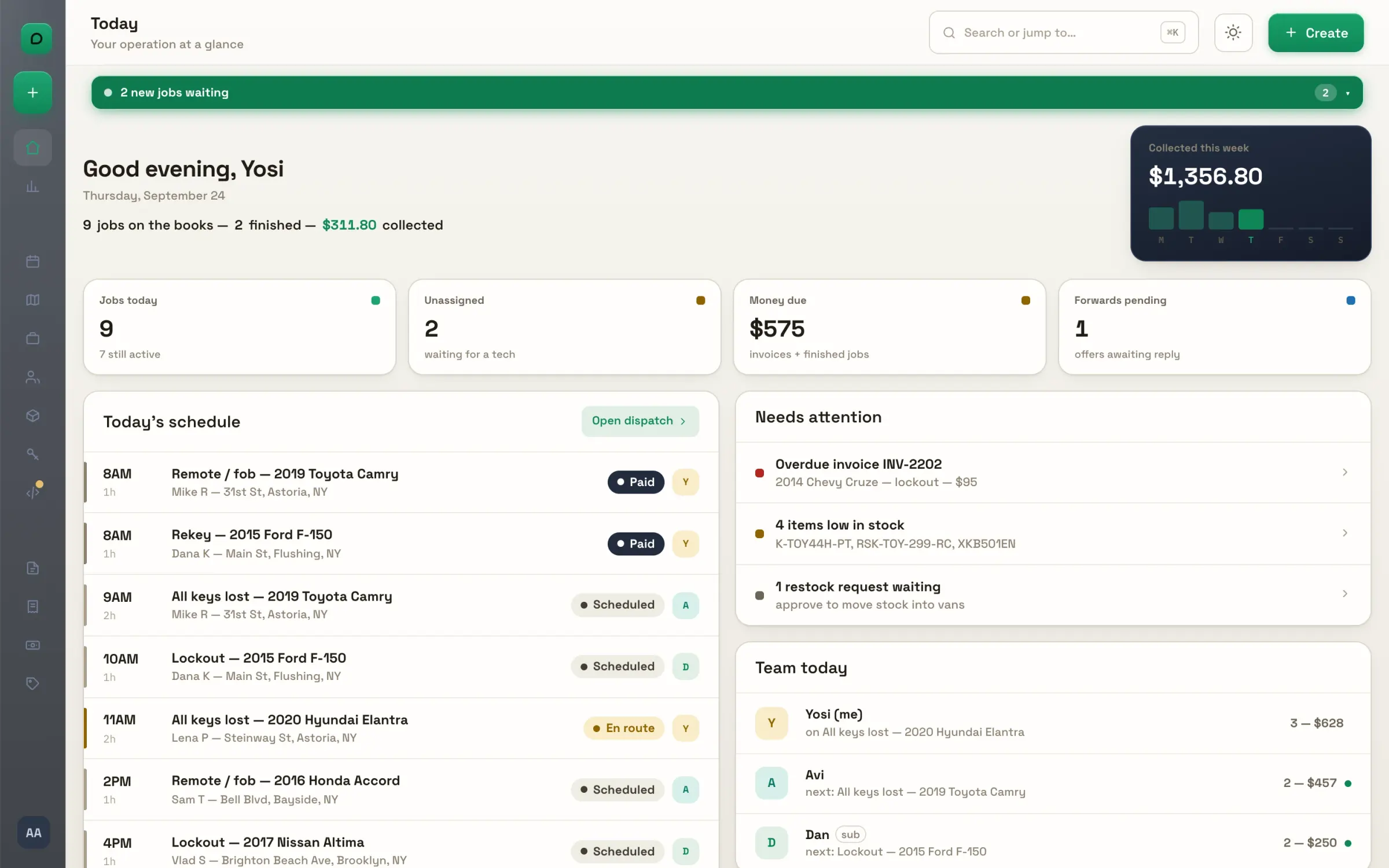
The office's Today screen: the day's schedule, money due and the team at a glance.

Master Key Studio

Design the system. Print the pin charts.

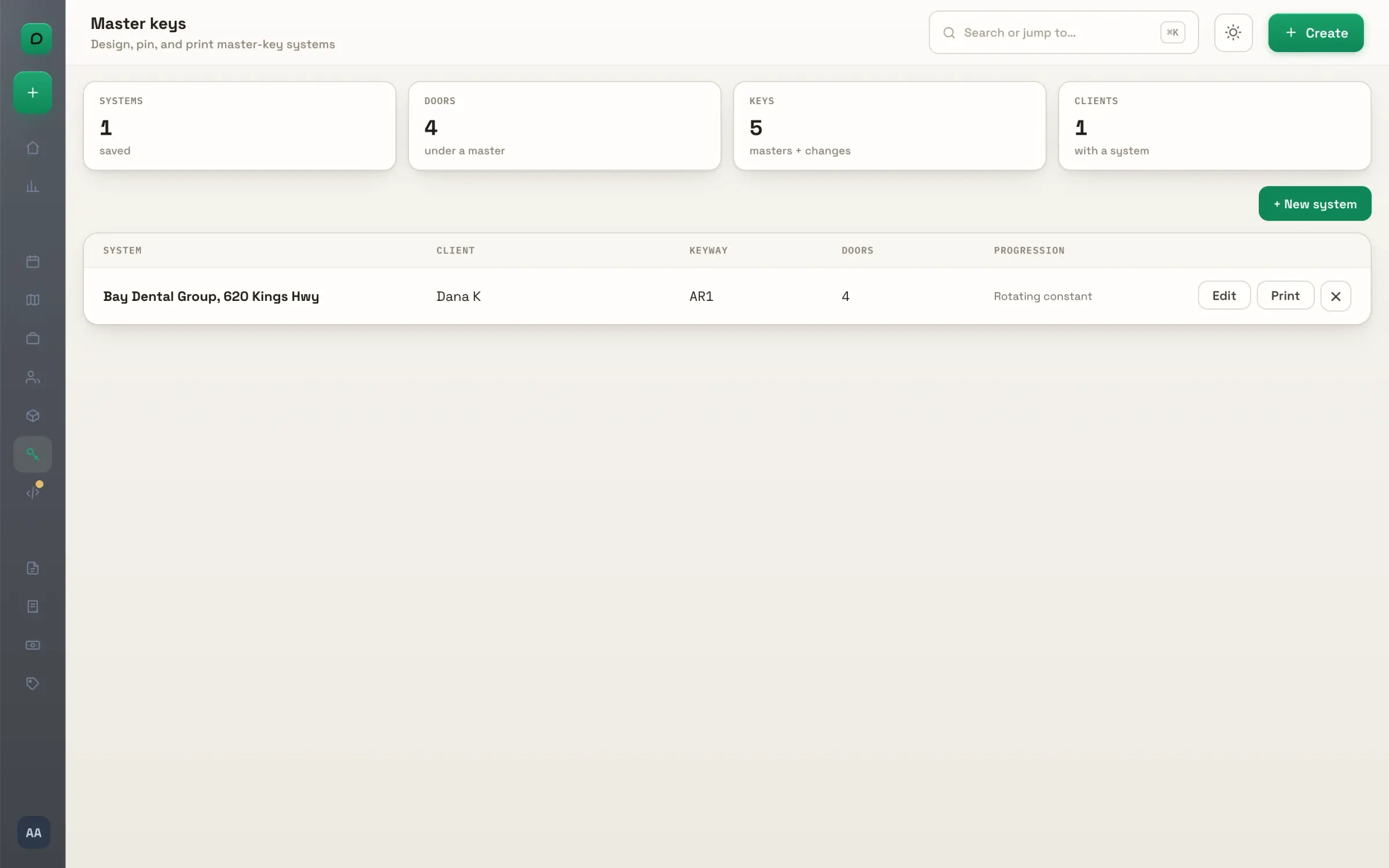
Name the doors, decide which key opens what, pick the keyway. The studio generates the change keys, checks the system for ghost keys, and prints the pinning chart per door, the key schedule and the cutting list.

Shown: a four-door system for a dental office, built in the studio's own builder.
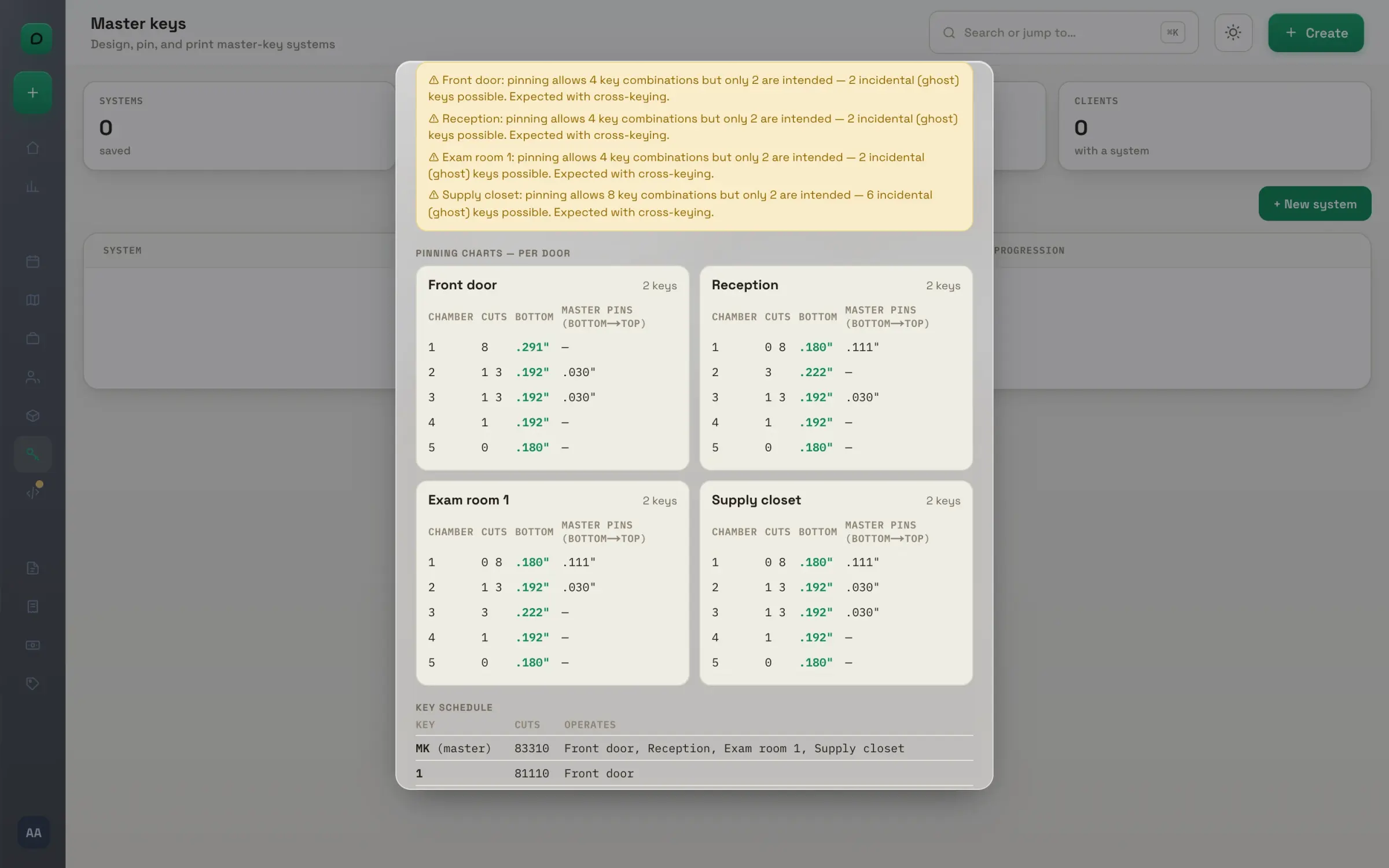
The Master Key Studio's output for a four-door system: the pinning chart per door, the key schedule and the system's ghost-key warnings.

Today

The morning screen: what is on the books, what waits on you, who is where.
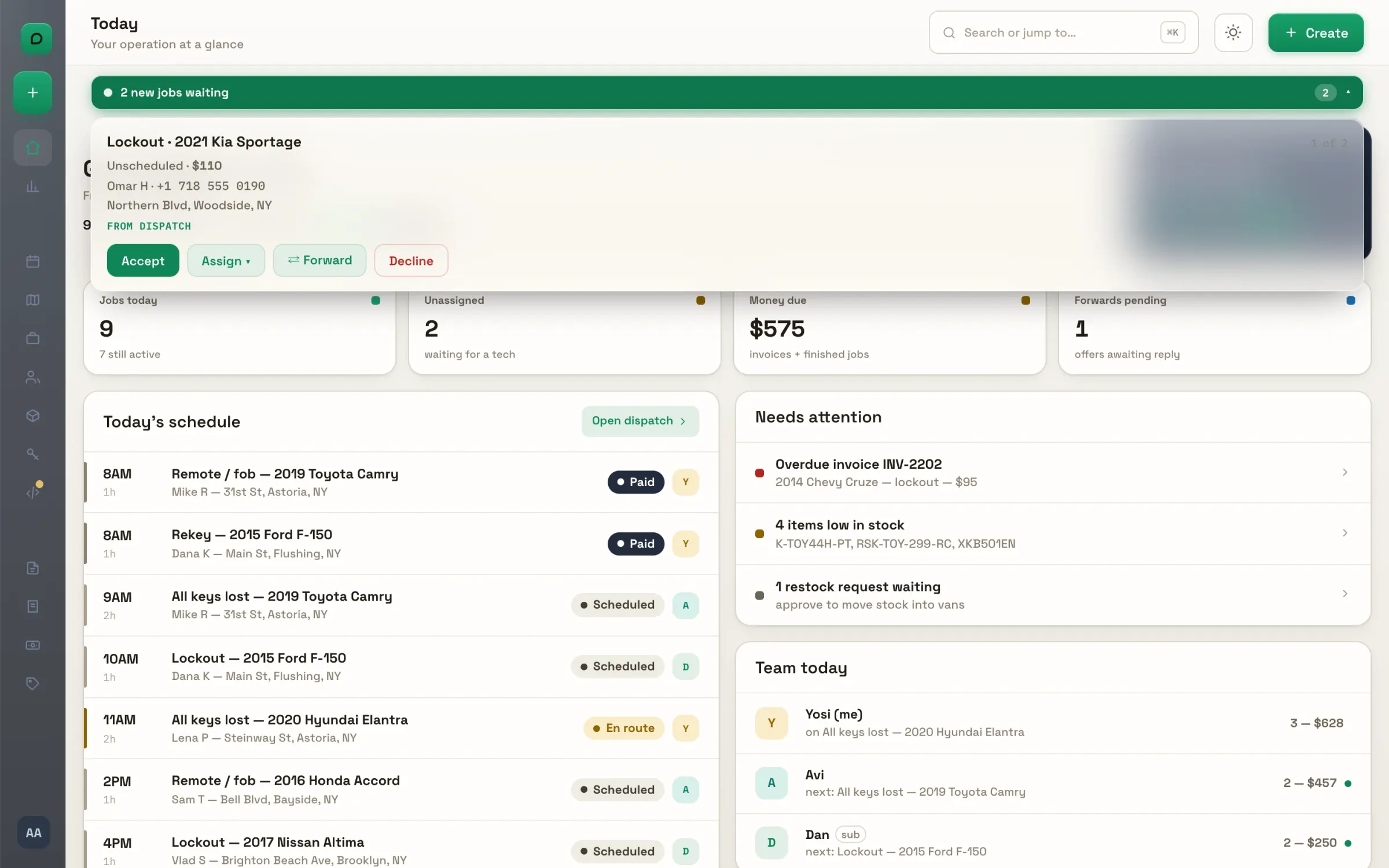
The morning screen. Jobs on the books, what is finished and what was collected, then the day's schedule in order with each tech's face on the row. Money due, unassigned jobs and forwards pending, each a click from its page.
Needs attention. Overdue invoices, approved estimates, a tech's decline, a job to collect, low stock: one list of what waits on you. Empty means all clear.
A job arrives. New jobs and partner offers land in a strip under the top bar, and open as a card. Accept, assign to a tech, forward at a split, or decline, with the next one queued behind.
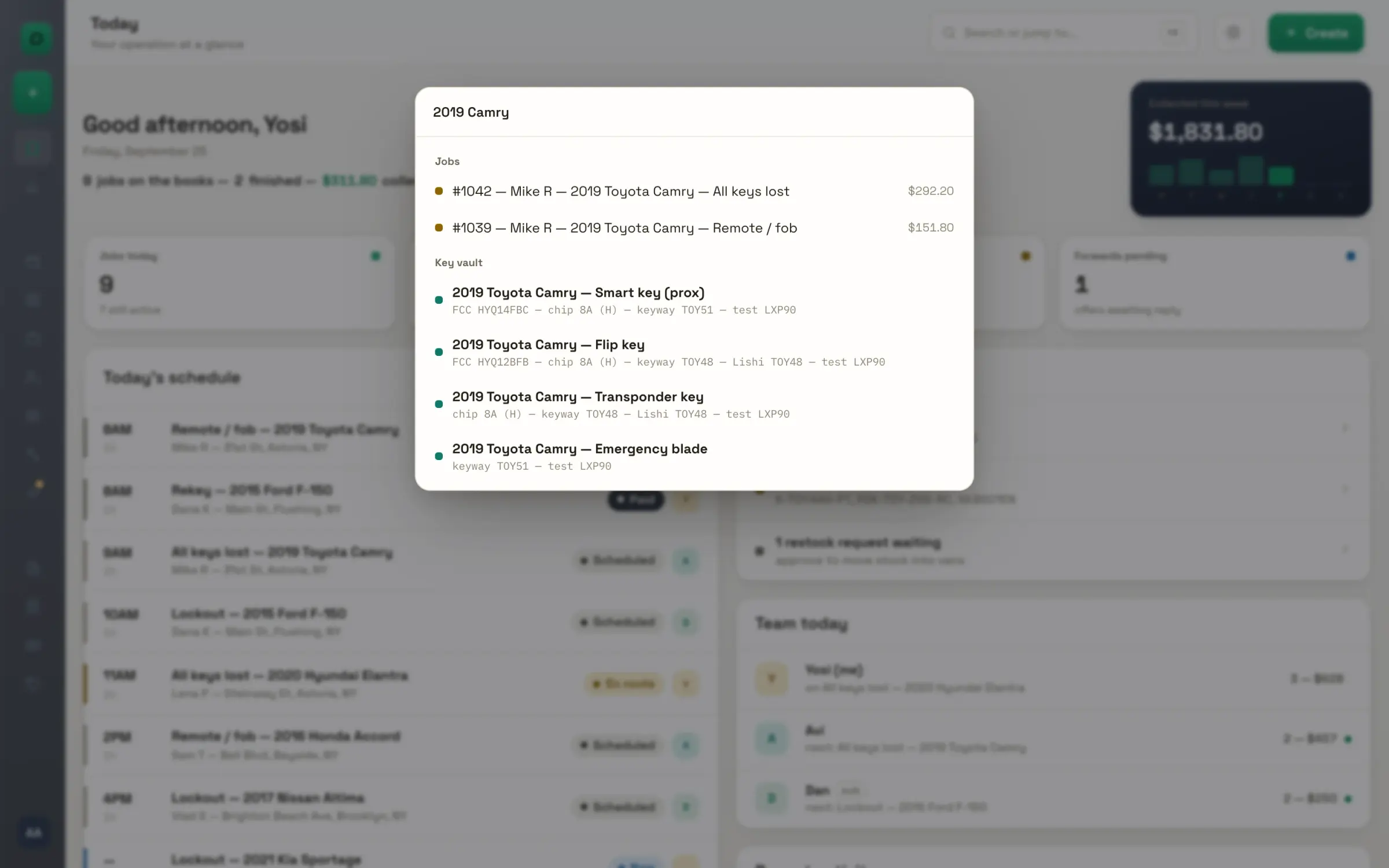
Search anywhere. Ctrl K from any page: jump to a screen, find a job or a client, or ask the key vault for a 2019 Camry and get the FCC, the chip and the Lishi. Enter opens the first result.
Team today. Each person's current job, their next one, and their count and value for the day, with a live dot when they are moving. Click a name to open what they are on.

The dispatch board

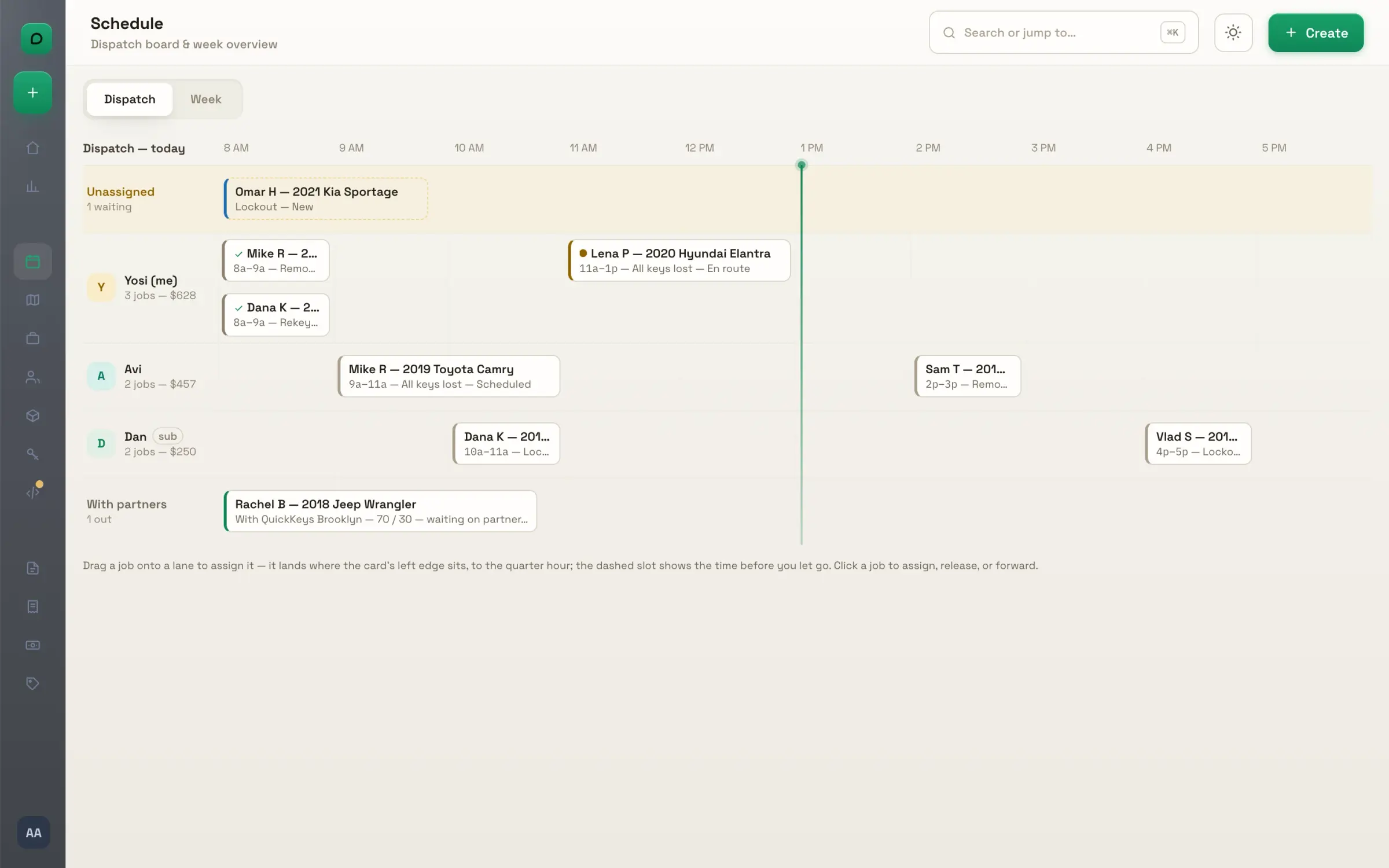
One lane per tech, the day across the top, and drag to assign.
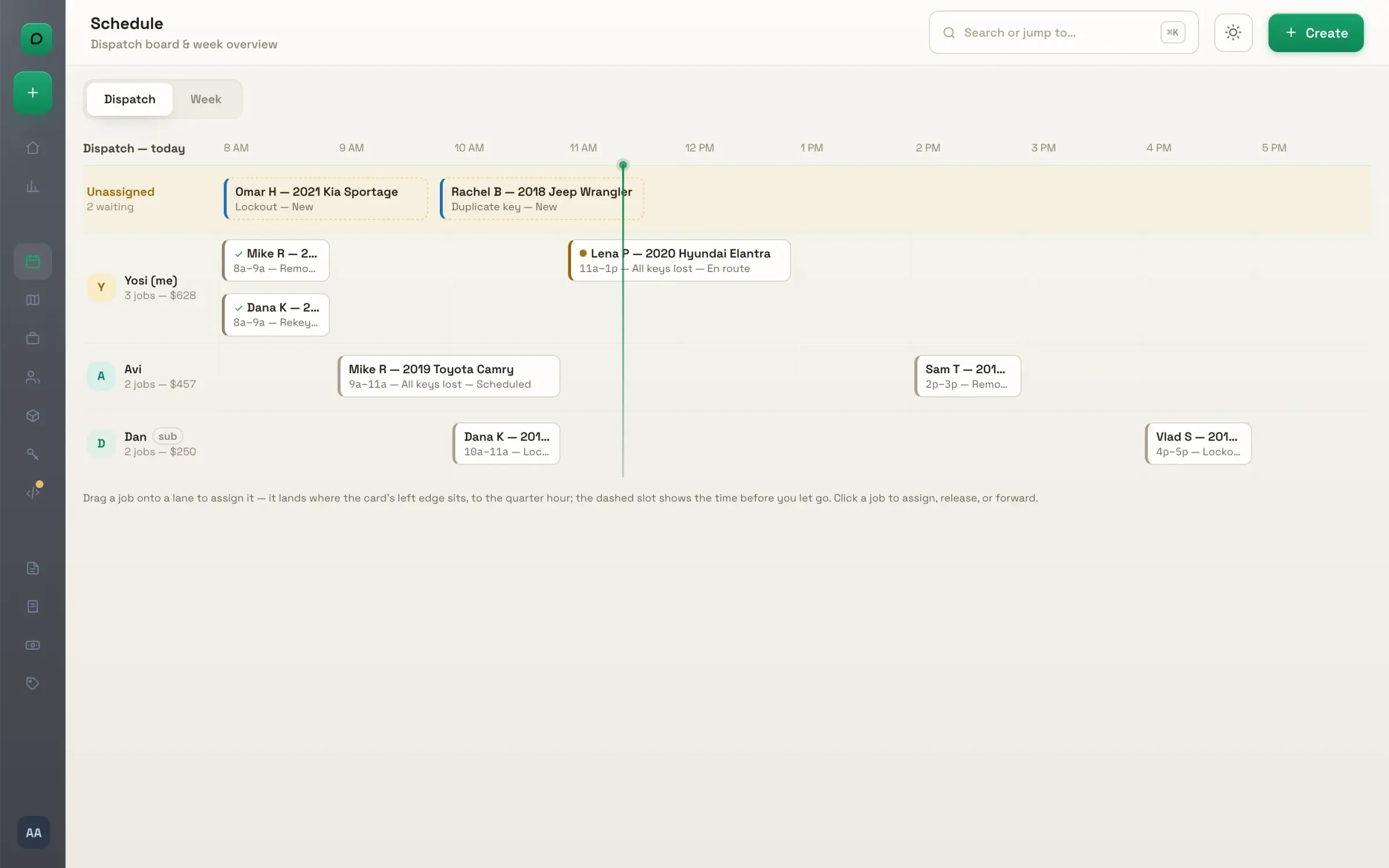
The board. One lane per tech across the working day, with unassigned jobs waiting at the top. Every card carries the client, the vehicle, the time and its status color, and a check when it is paid.
Drag to assign. Drop a card on a lane and it is assigned, starting where you let it go, snapped to the quarter hour. A dashed box shows the landing before you release.
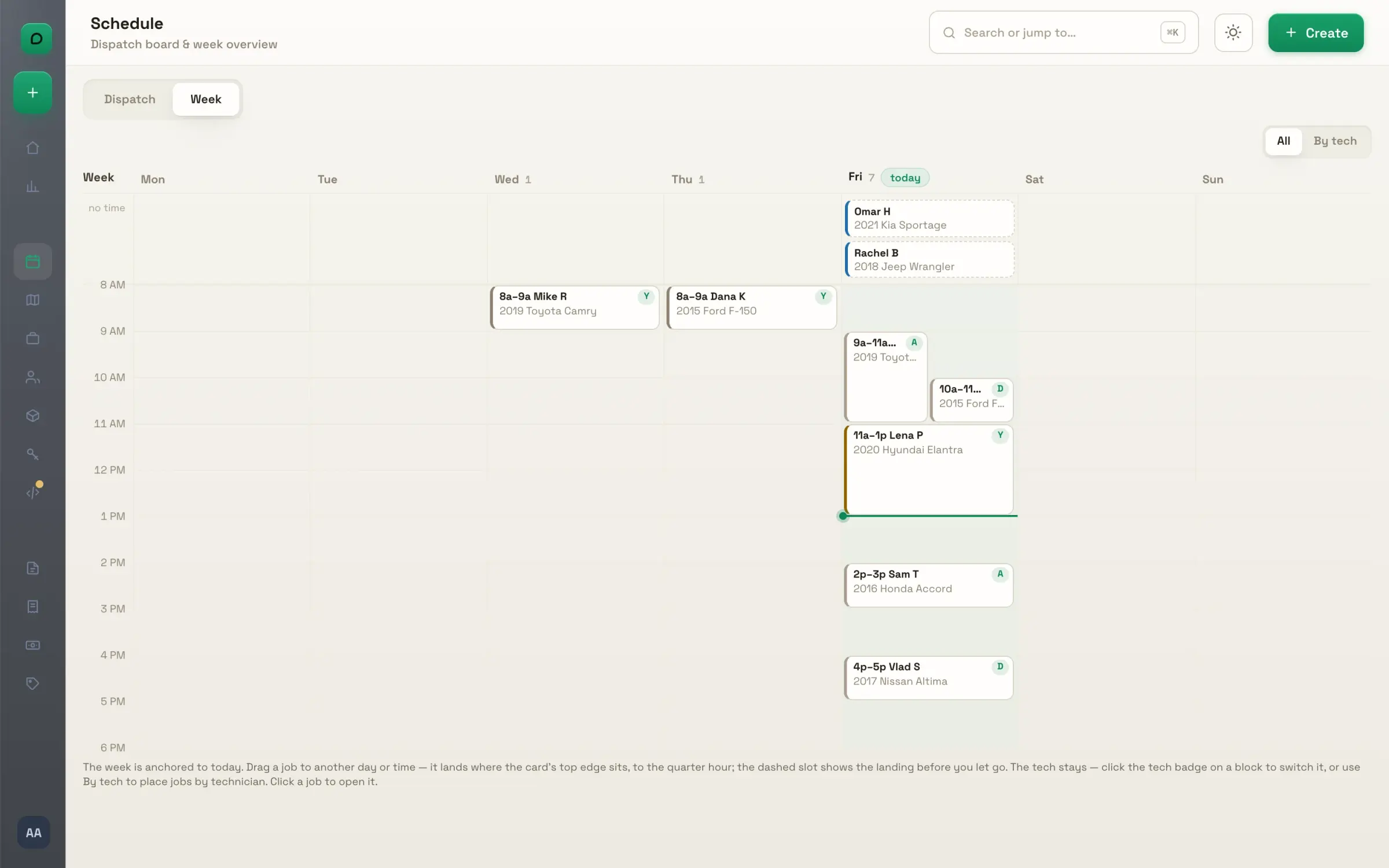
The week. Seven days over the working hours, every job as a block; overlapping jobs sit side by side. Drag one to another day or time, or click its badge to switch the tech.
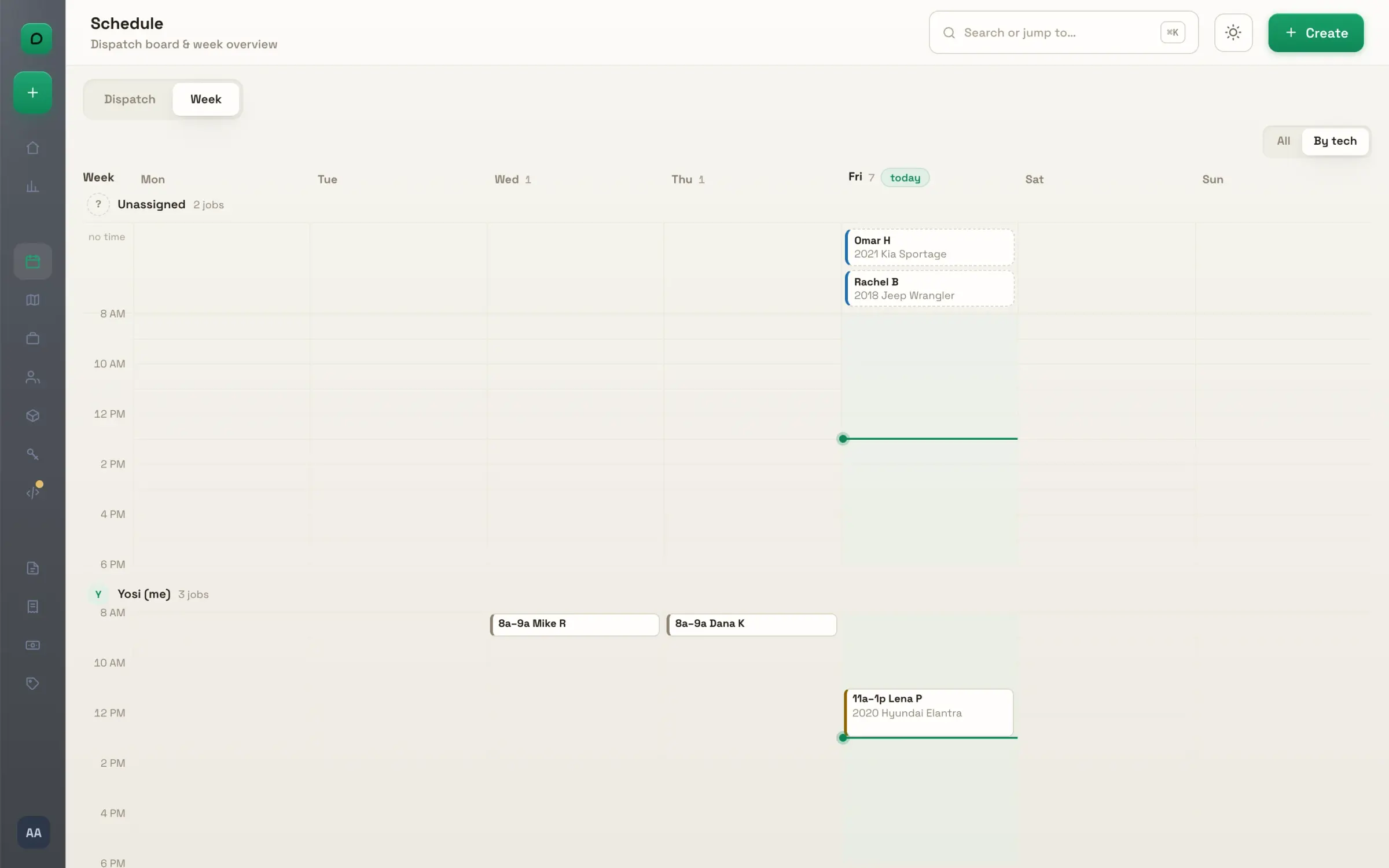
By tech. One band per person for the whole week, with the unassigned pool on top. Drop a job into a band and it gets its tech, its day and its time in one move.
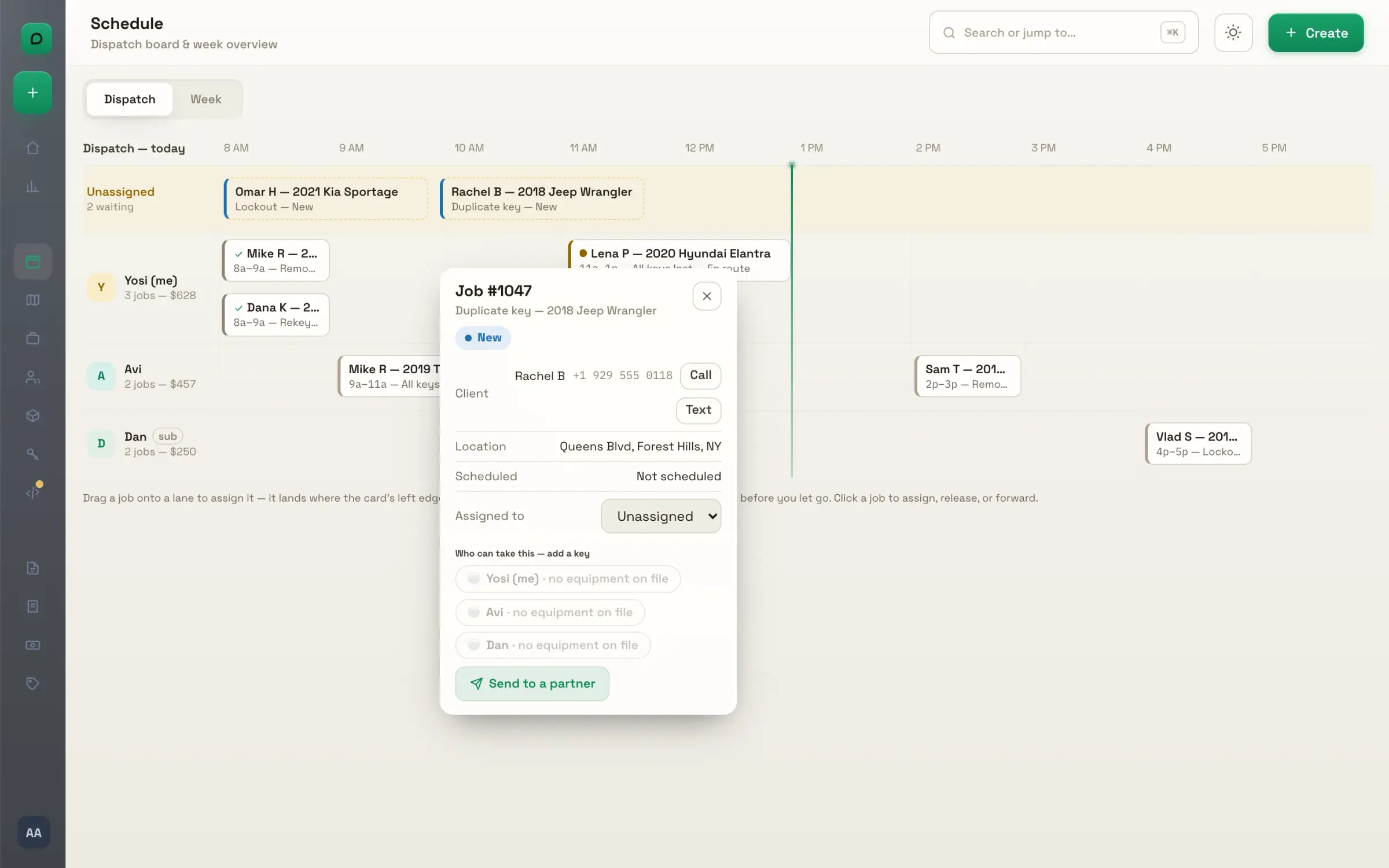
The quick card. Click any card for the client with call and text, the address, the time, and who can take it. Reassign or send it to a partner without leaving the board.

The map

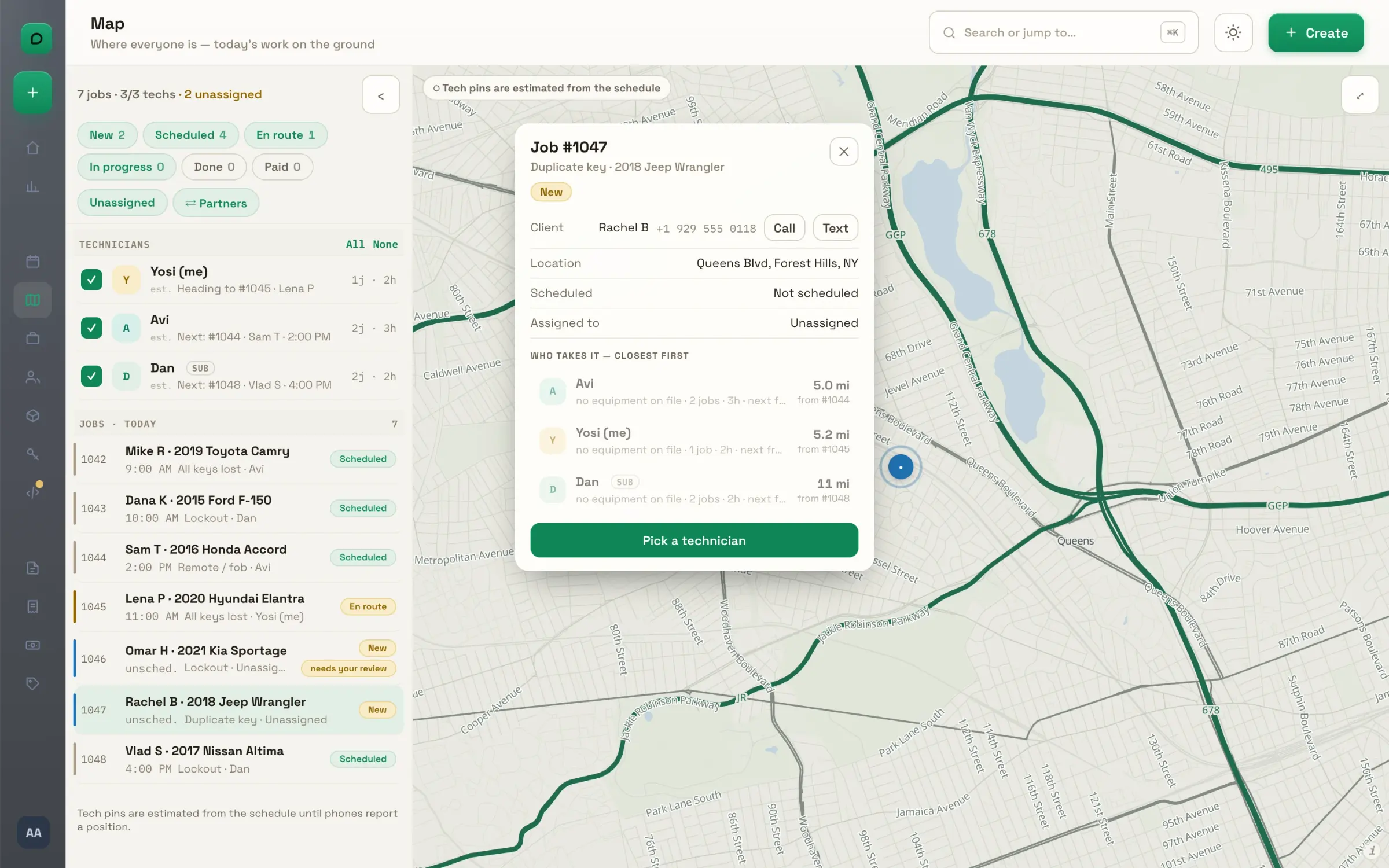
Every job and every tech on one map, and the closest right tech for each job.
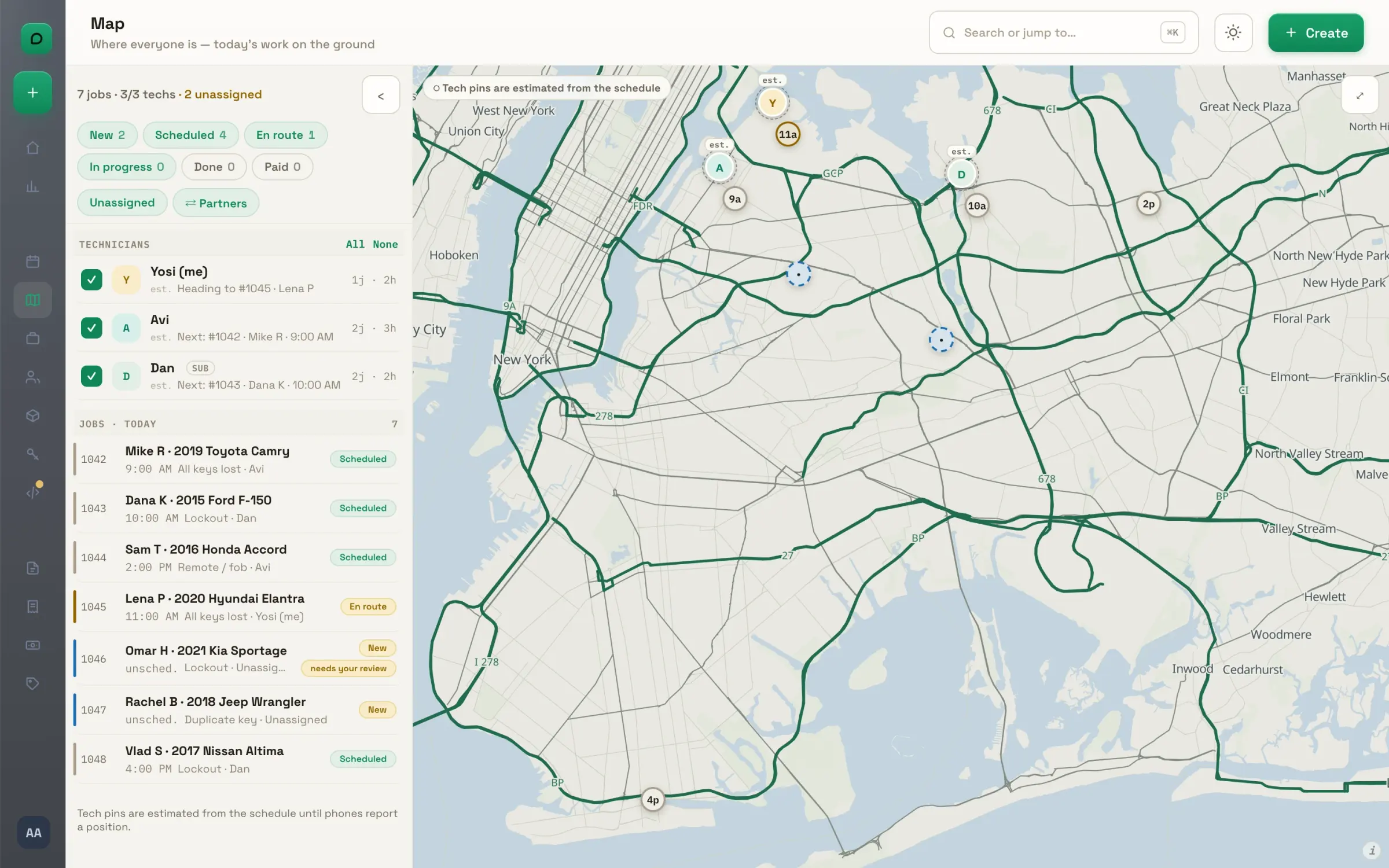
Jobs and techs on one map. Every job of the day pinned with its start time and status; every tech placed by their schedule. Filter by status, hide the unassigned, or show what is out with partners.
Who takes it, closest first. Click a job and every tech is ranked by distance, their equipment for the car, their load and when they are next open. Pick one and a start time, and they accept on their phone.
Watch a tech. Tick one technician and the map keeps only their jobs and their position; click their row and the map flies to them. The job list beside it shows who has what and who is waiting.

Jobs and clients

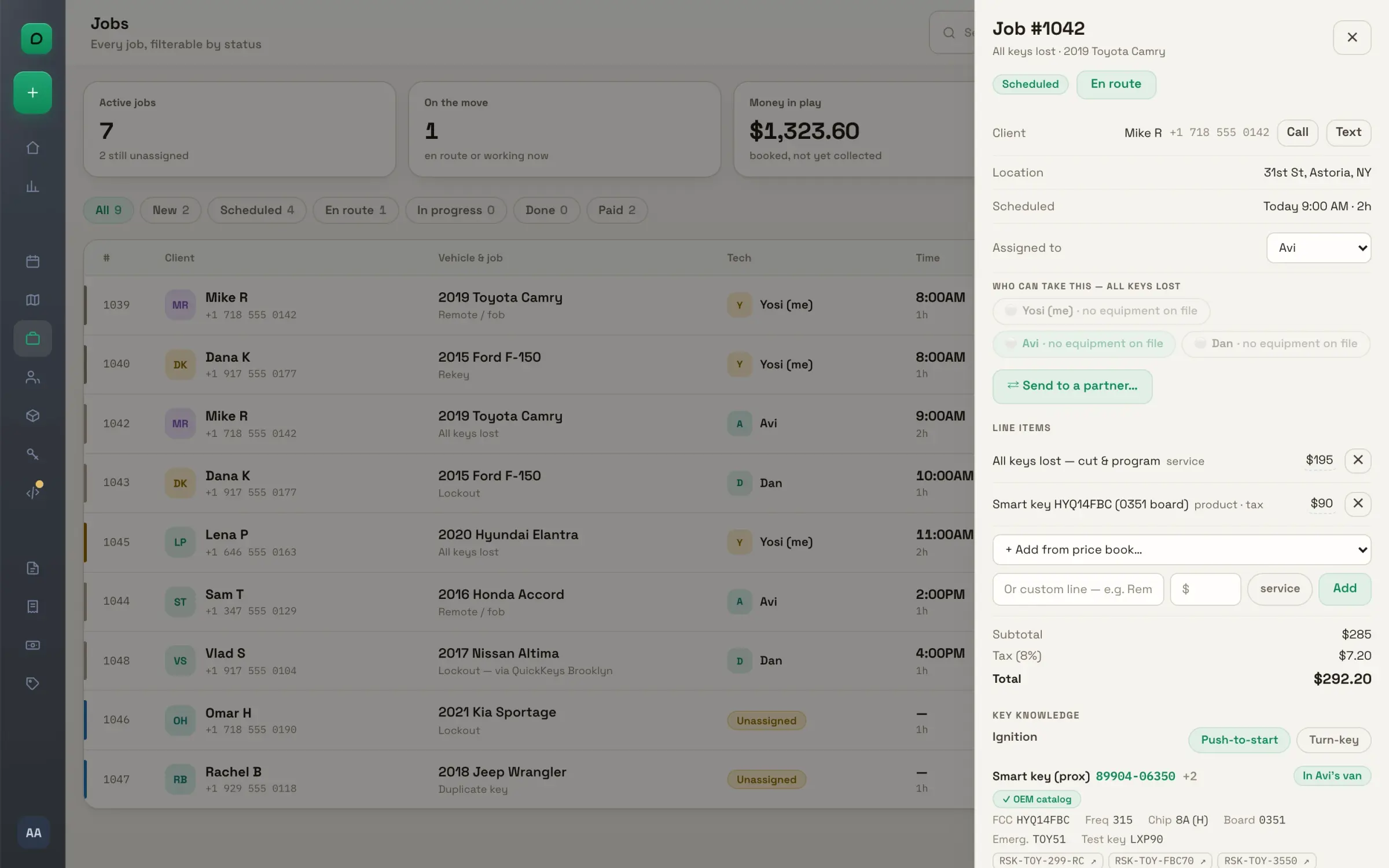
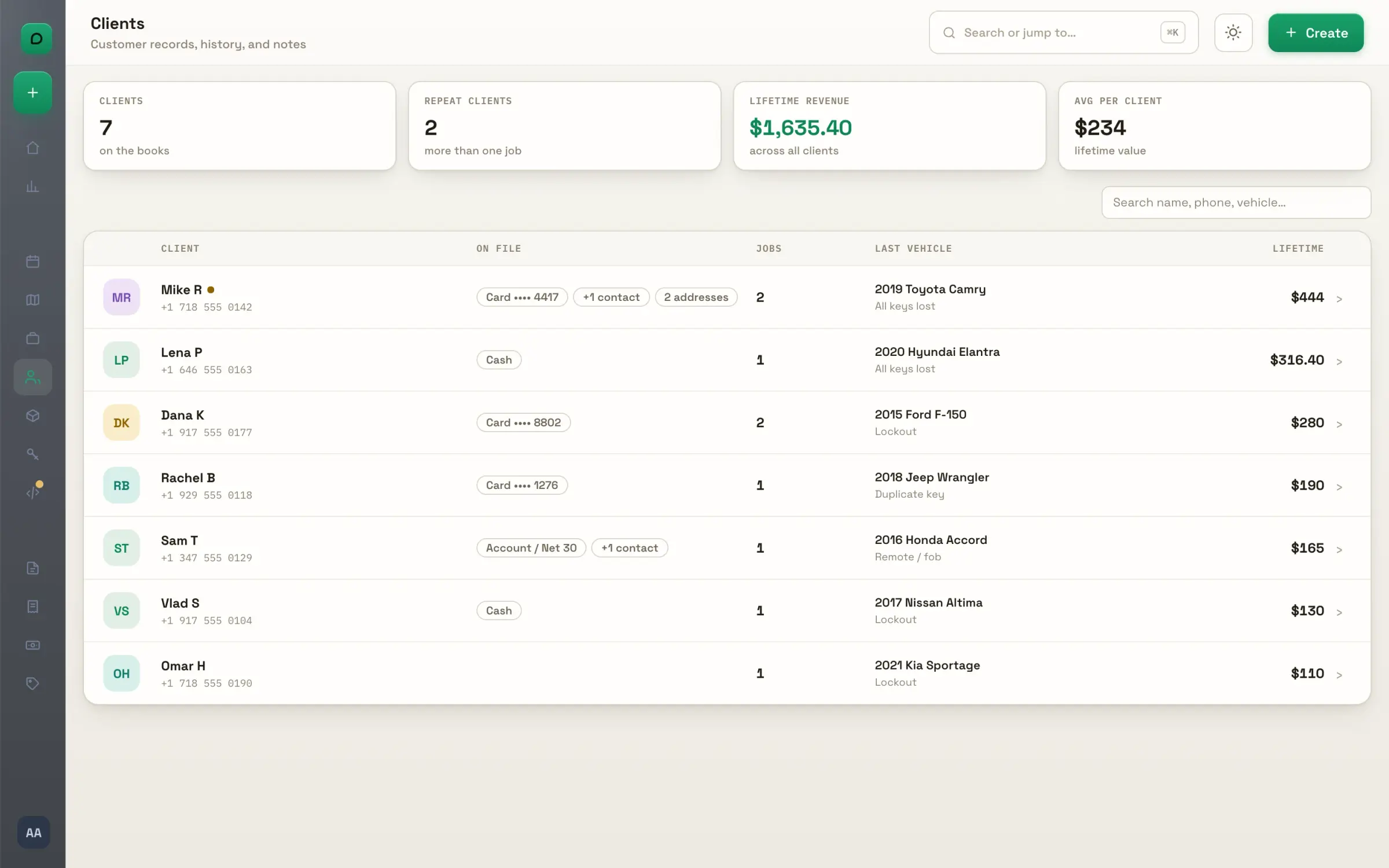
Every job in a table, the full panel on any of them, and every client on file.
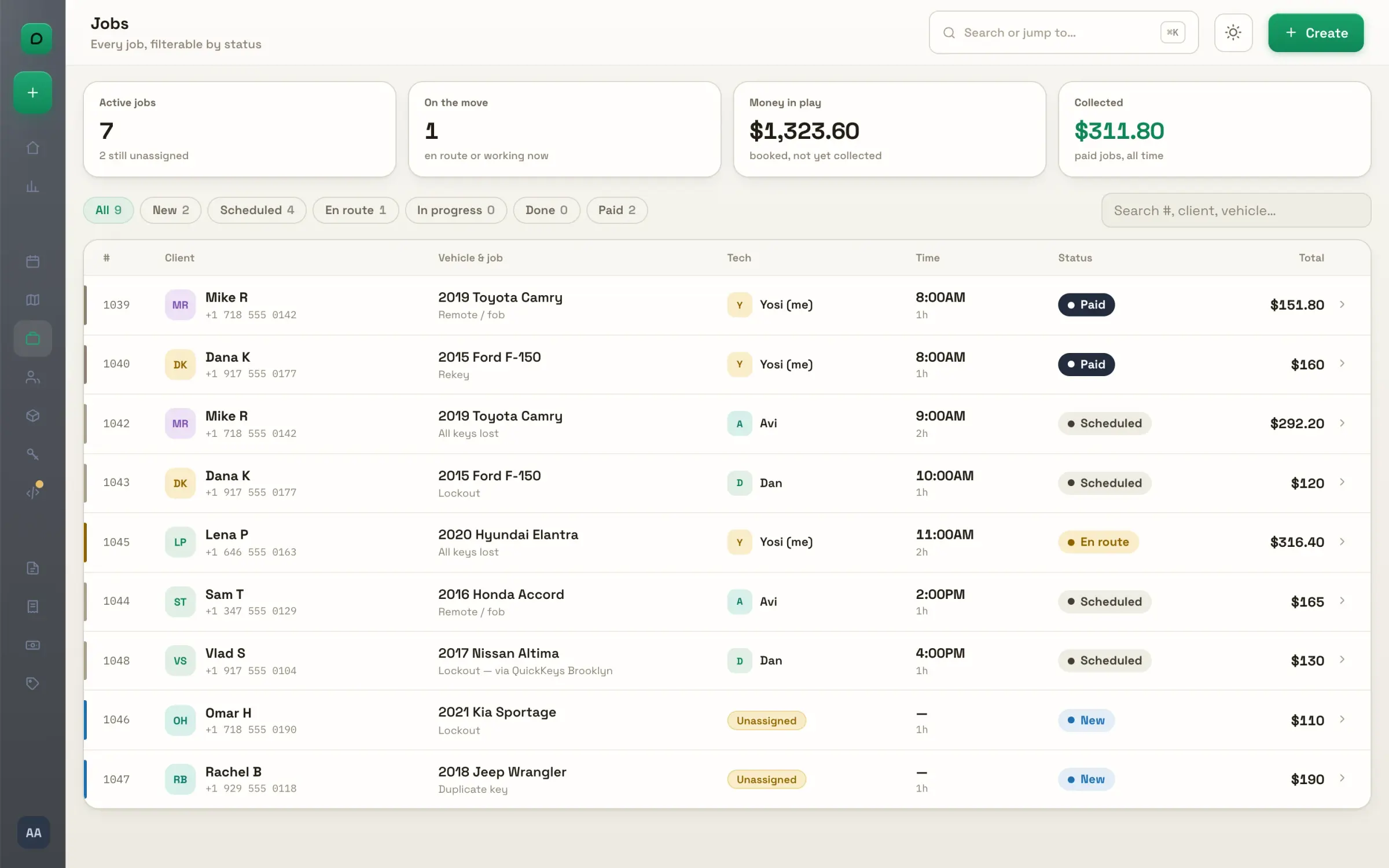
The jobs table. Every job with its client, vehicle, tech, time, status and total, and the money in play at the top. Tabs by status; search by number, client, vehicle or address.
The job panel. The status steps, the client's number with call and text, the schedule, who can take it, the line items and the key knowledge for the car. Everything the tech sees, on the big screen.
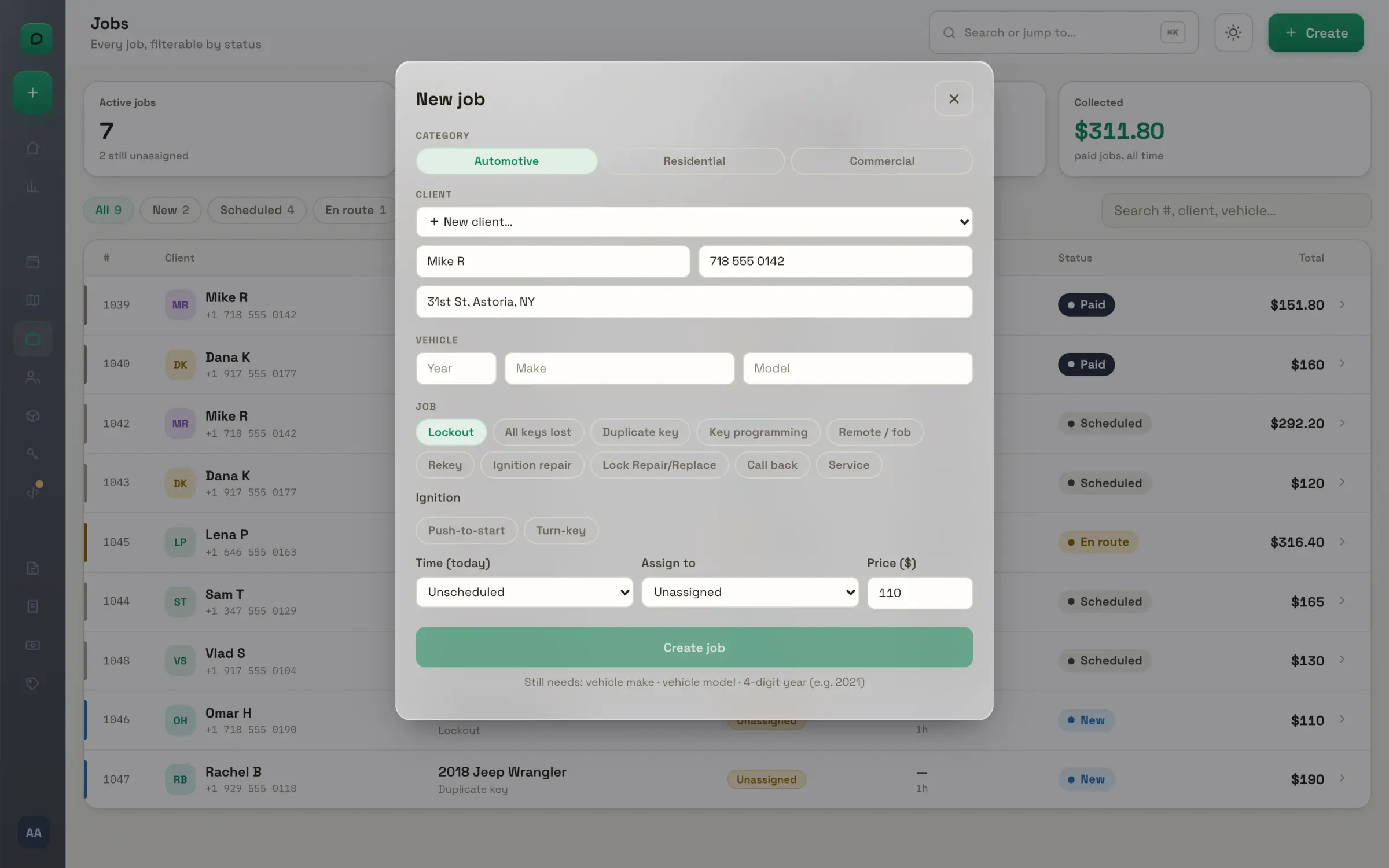
New job. Car, home or business, the client, the address, the service and the time. The price starts from your price book, and a car job's ignition type is detected from the vault as you type.
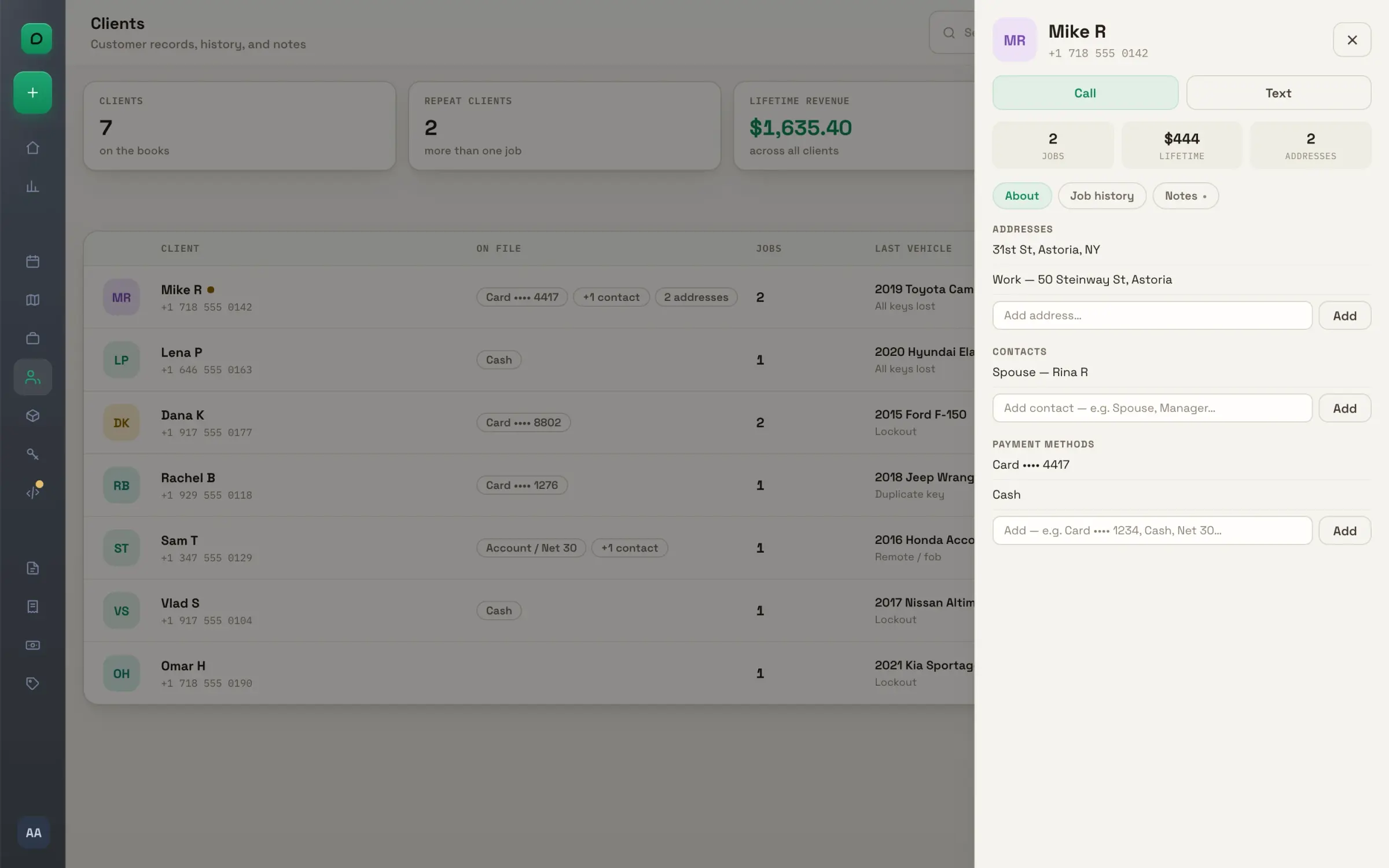
Clients. Every client with their jobs, vehicles, addresses and lifetime value, sorted by who matters most. Search by name, phone or vehicle.
The client record. Addresses, contacts and payment methods on file, the whole job history, and notes that save as you type. Created for you from the first job, the first booking or the first estimate.

Estimates and invoices

Quote it, win it, bill it, chase it, with every price remembered.
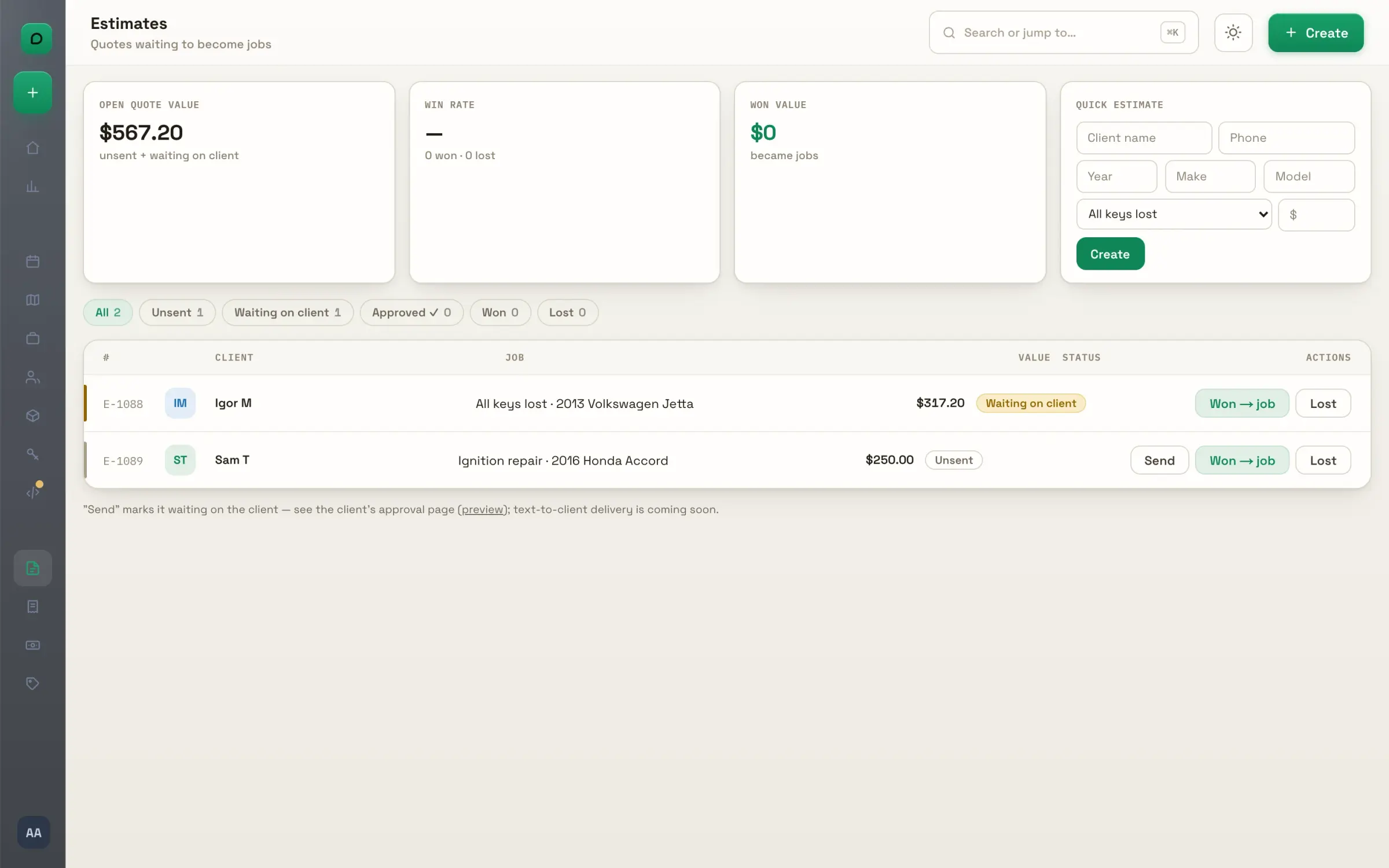
Estimates. Quote a job in a minute: client, vehicle, service, price. Open value, win rate and won value sit at the top, and a won estimate becomes a job in one click.
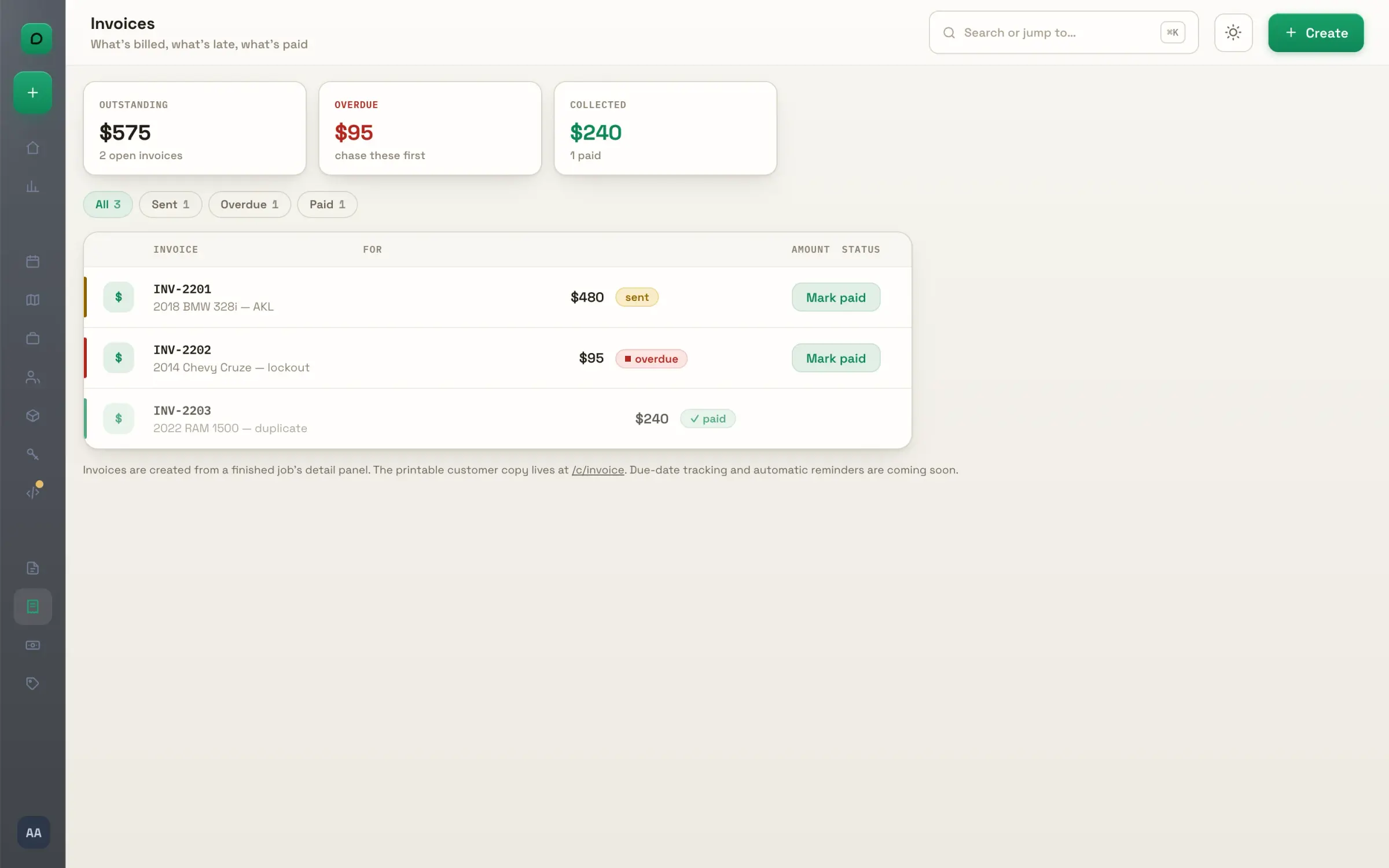
Invoices. Outstanding, overdue and collected at the top; every invoice with its job, its amount and its state. Mark one paid with a click, and undo if you were quick.
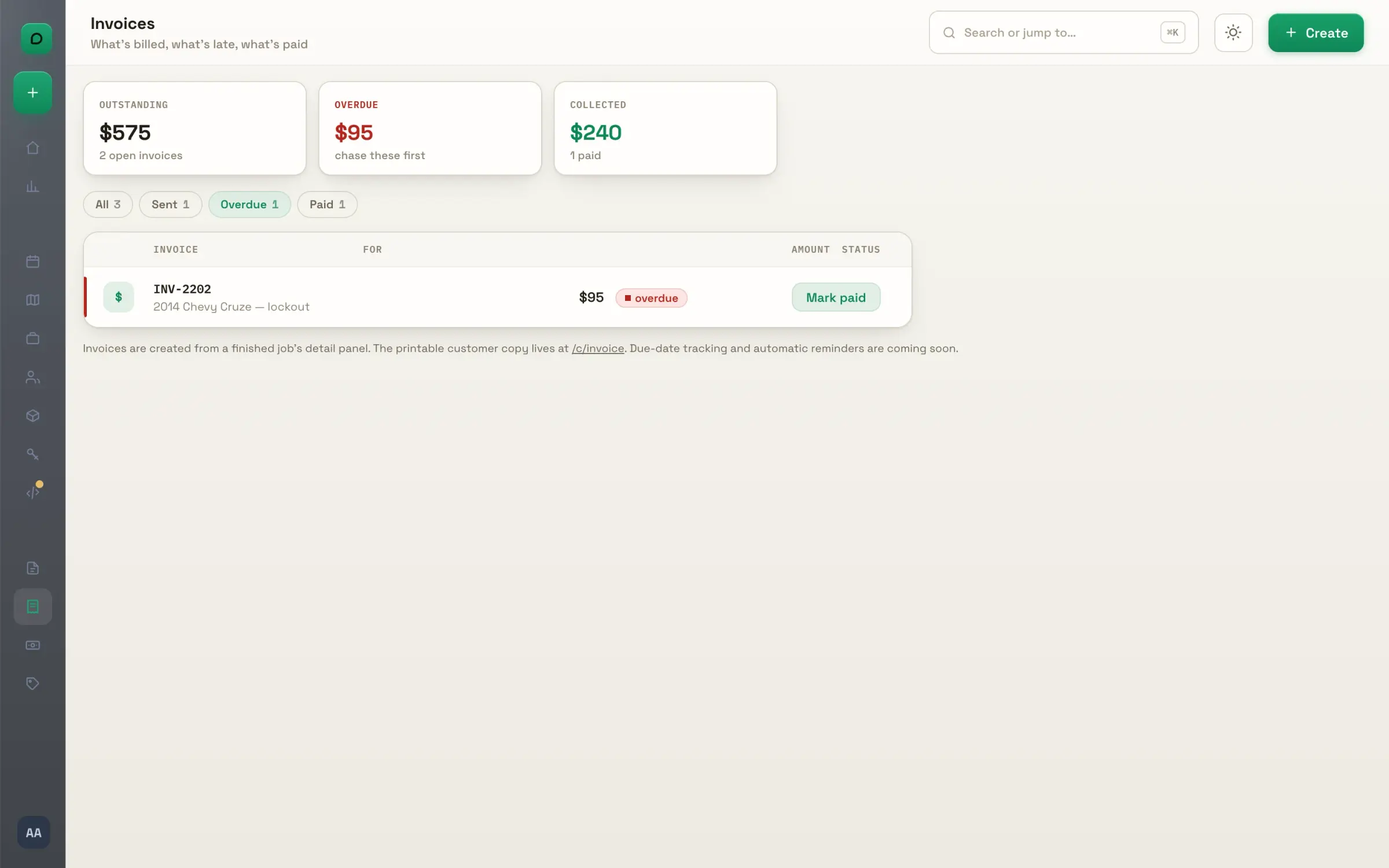
Overdue. The ones to chase sit in their own tab, each row pulsing until it is paid. The total to chase is the number at the top.
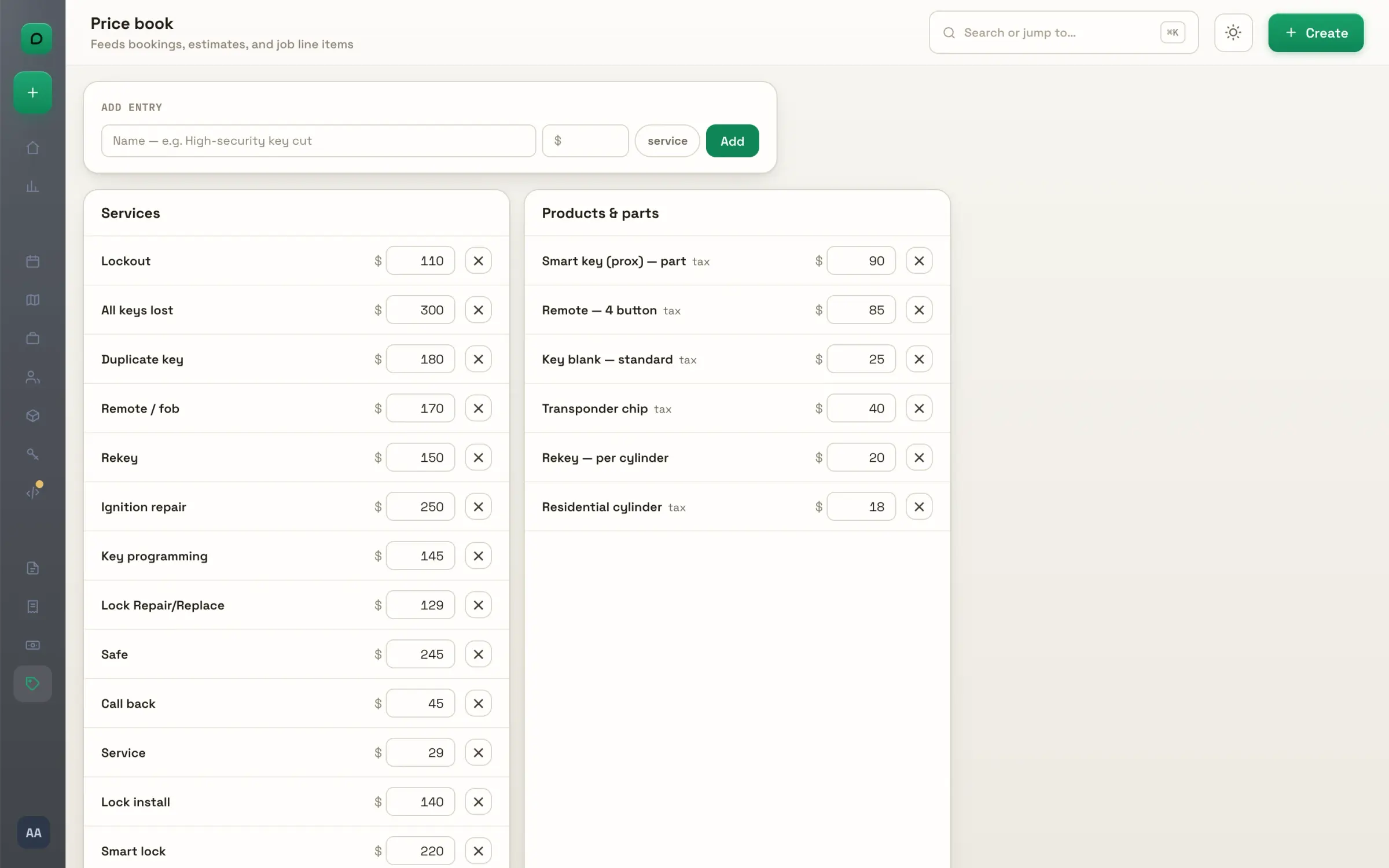
The price book. Services and products with their prices, products taxable, edited in place. New jobs, bookings and line items all start from it, and a price changed on a job can become the new default.

Your customers' pages

Three pages your customers open on their own phones. No app, no login.
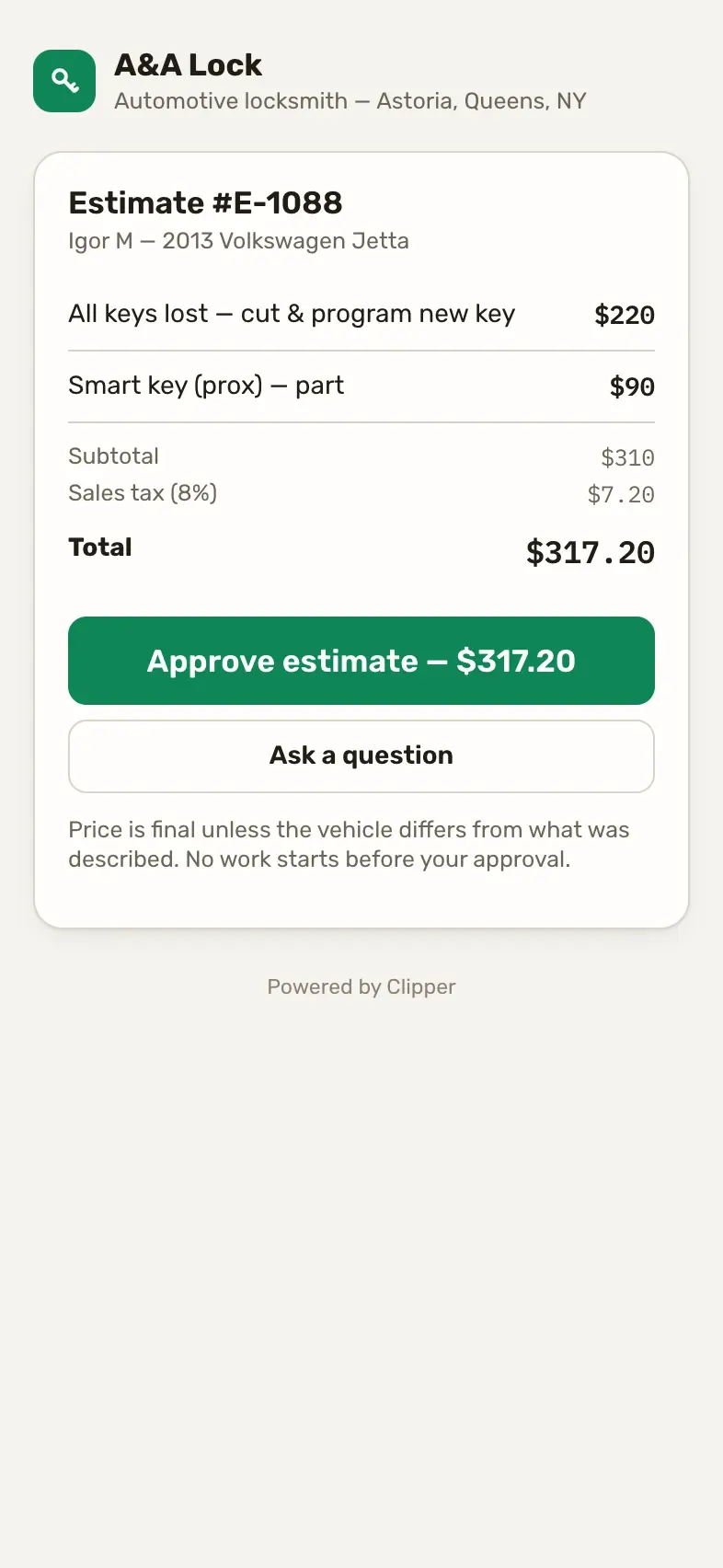
Approve on their phone. Your estimate as one clean page on the customer's phone, with a single button: Approve. The approval lands on your Today, ready to become a job.
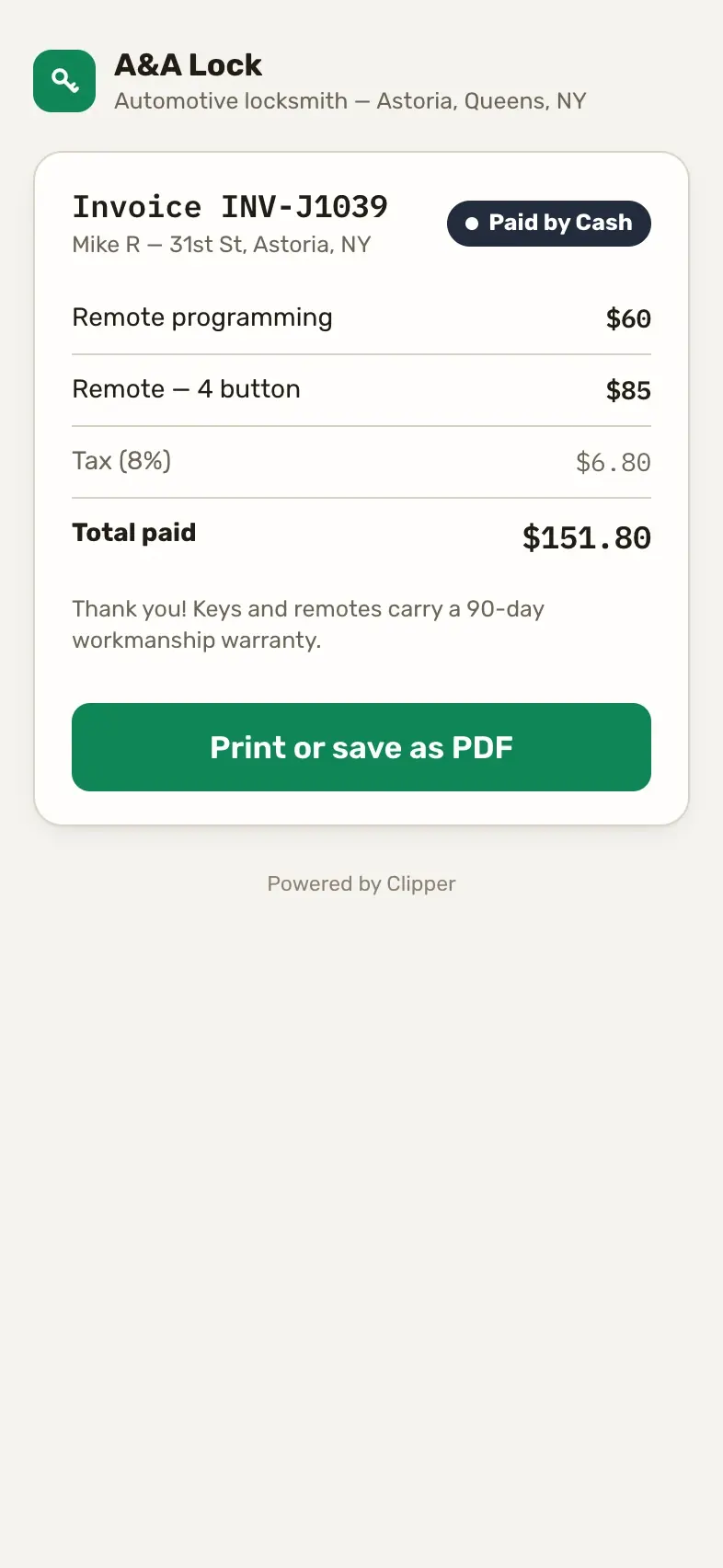
The invoice. A clean customer copy with your business name, the lines and the total. They print it or save it from their browser; so do you.
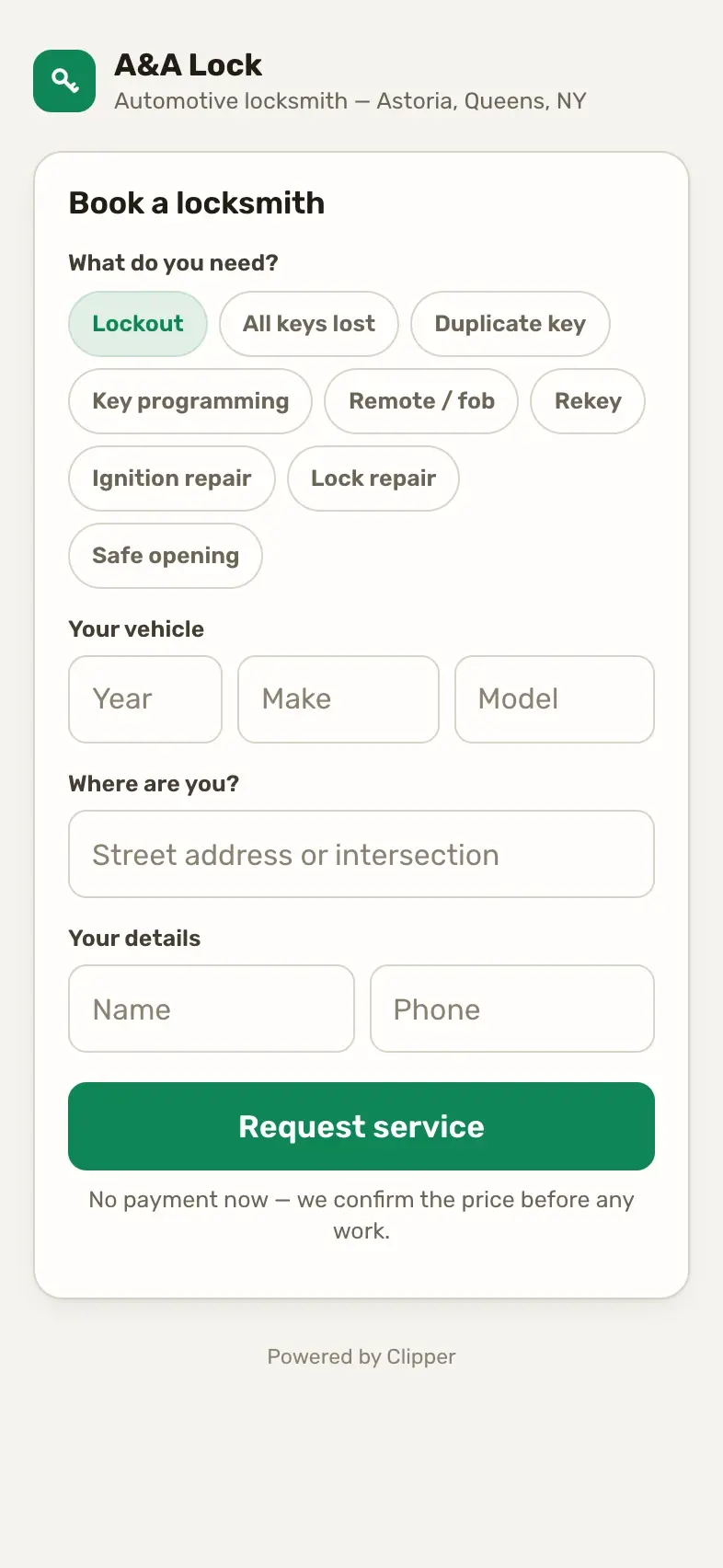
Online booking. Customers ask for a job from your link: the service, their details, the address, priced from your price book. It lands as a new job, and you text them to confirm the time.

Money

What every person is owed, what every partner owes, and the numbers behind the shop.
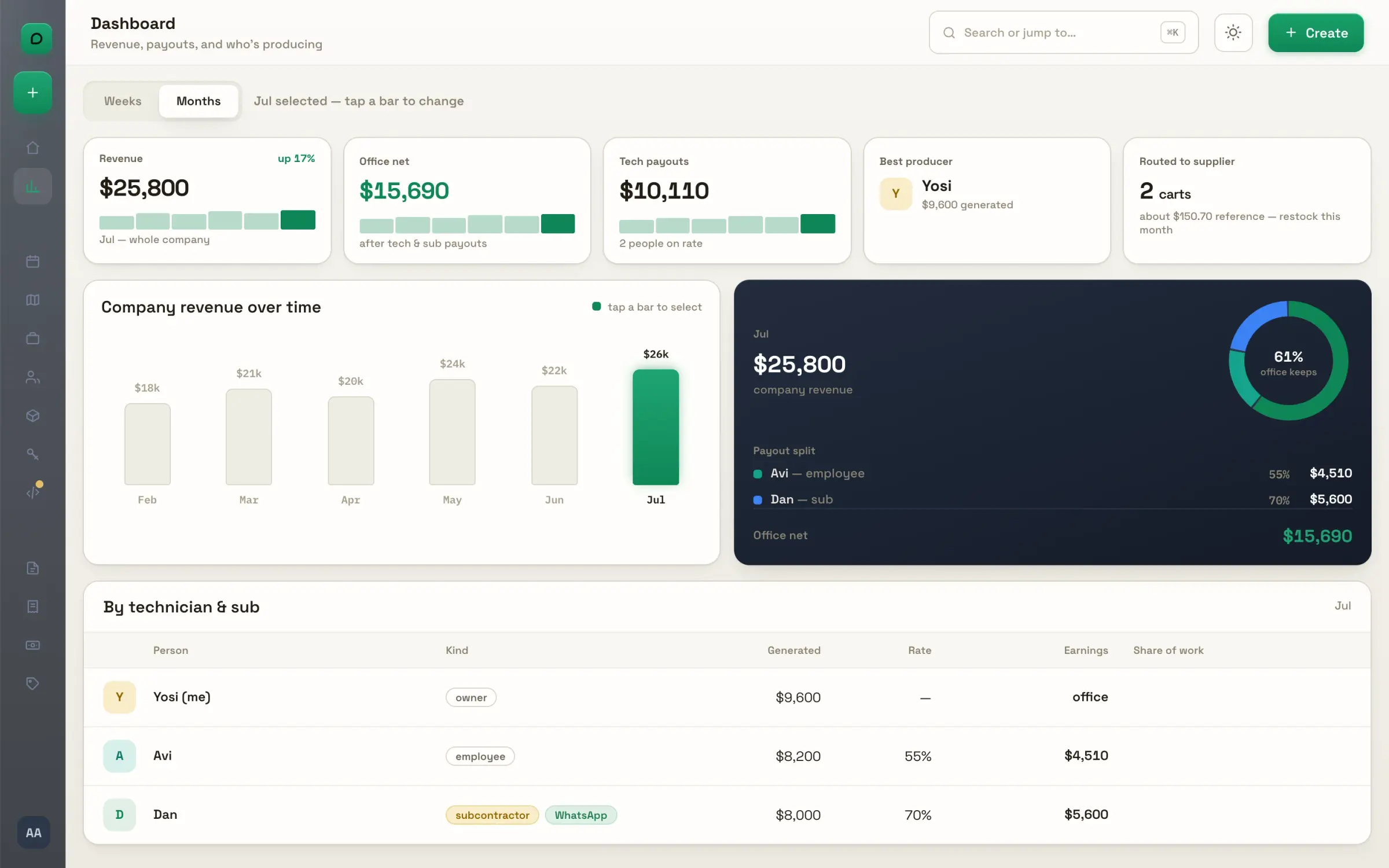
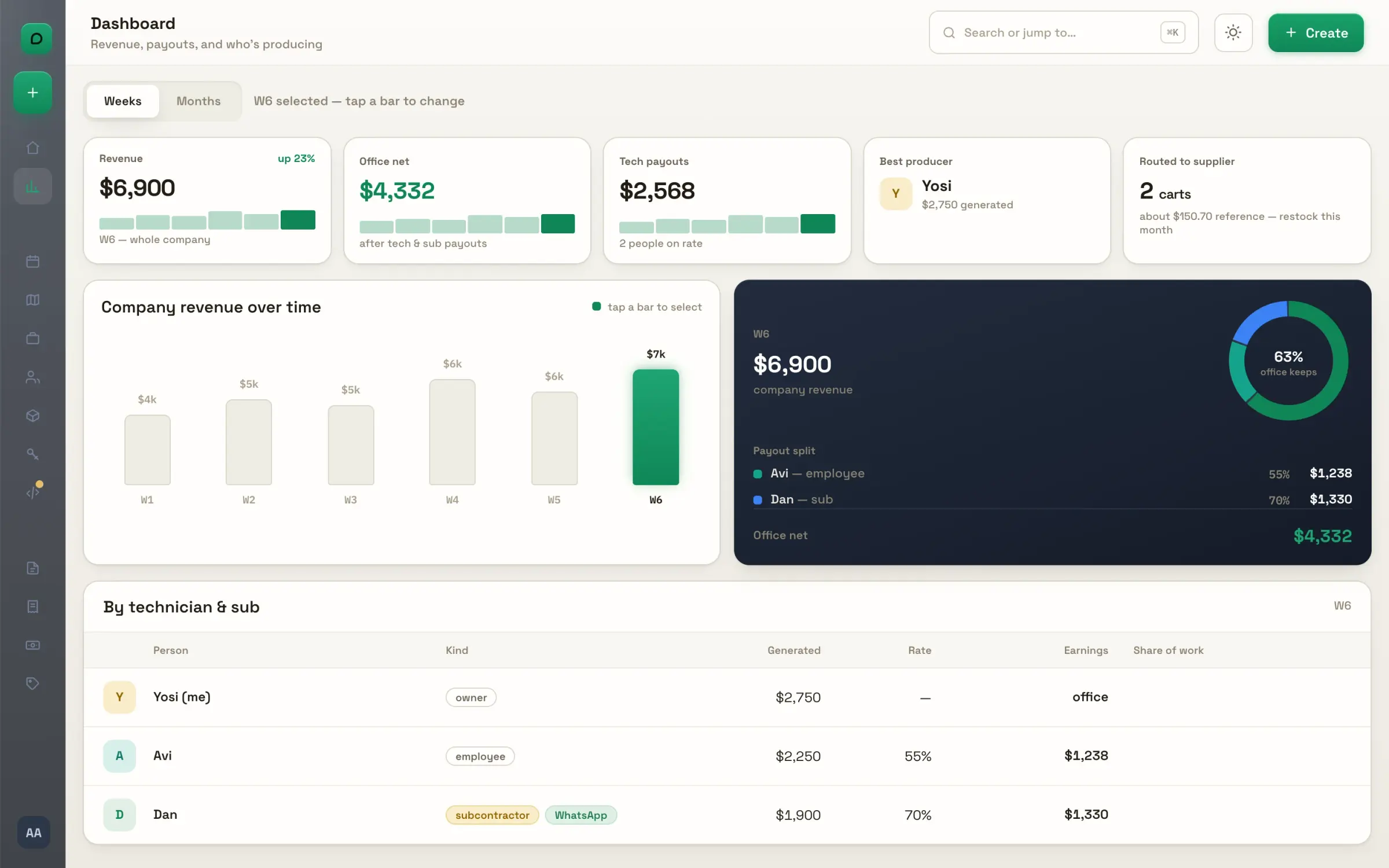
The dashboard. Revenue over time, office net after payouts, the payout split per person and who produces most. Tap a bar and every card follows that month.
By week. Switch to weeks and the same cards follow: this week's revenue, payouts and office net against the last one. For a shop that thinks in Fridays.
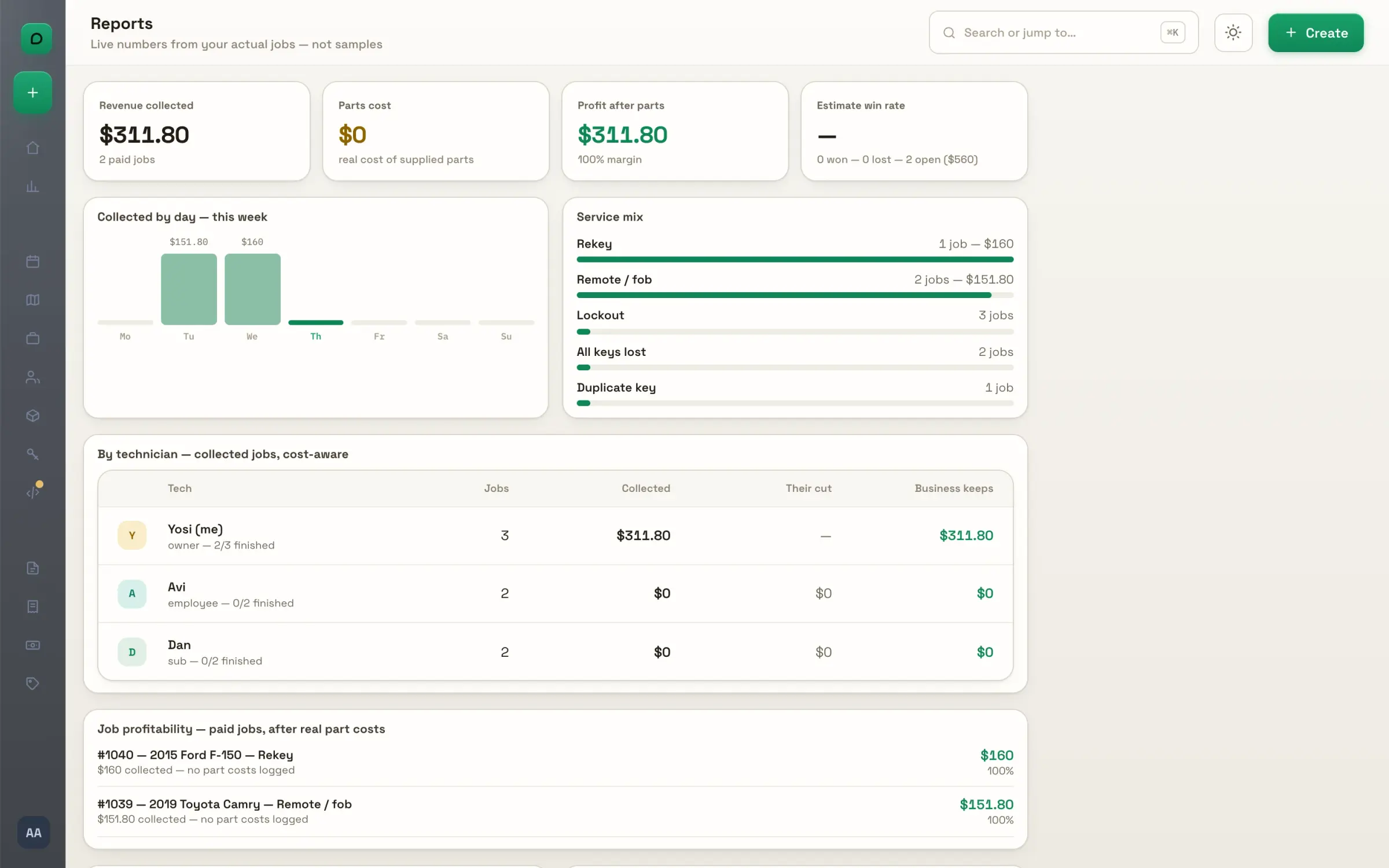
Reports. Revenue collected, parts cost and profit after parts; the service mix; each technician's collected jobs, their cut and what the business keeps. From your own jobs, not samples.
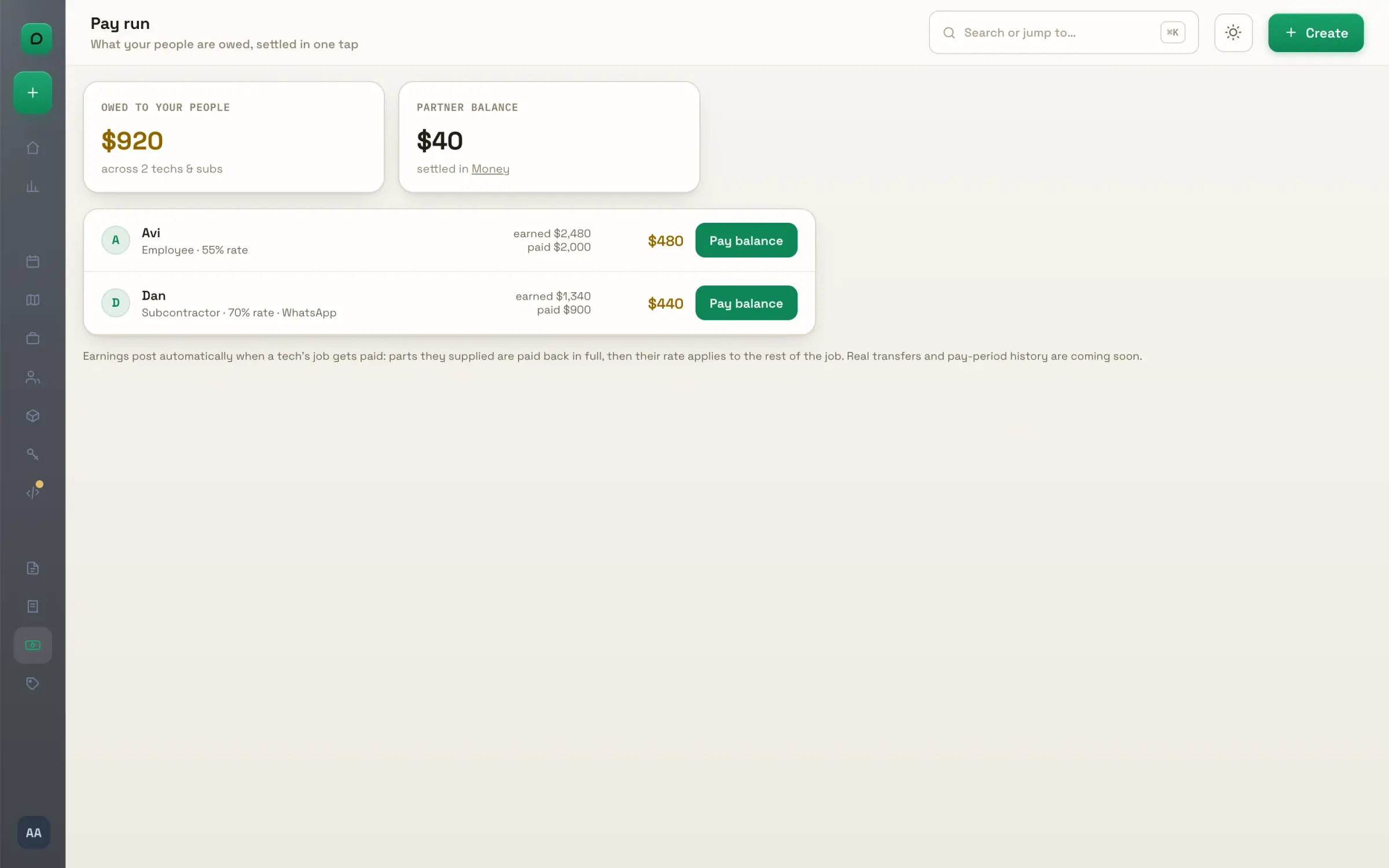
Pay run. What every employee and sub is owed: earned, paid, and the balance, with their rate beside their name. Earnings post by themselves when their job is paid, parts they supplied paid back first.
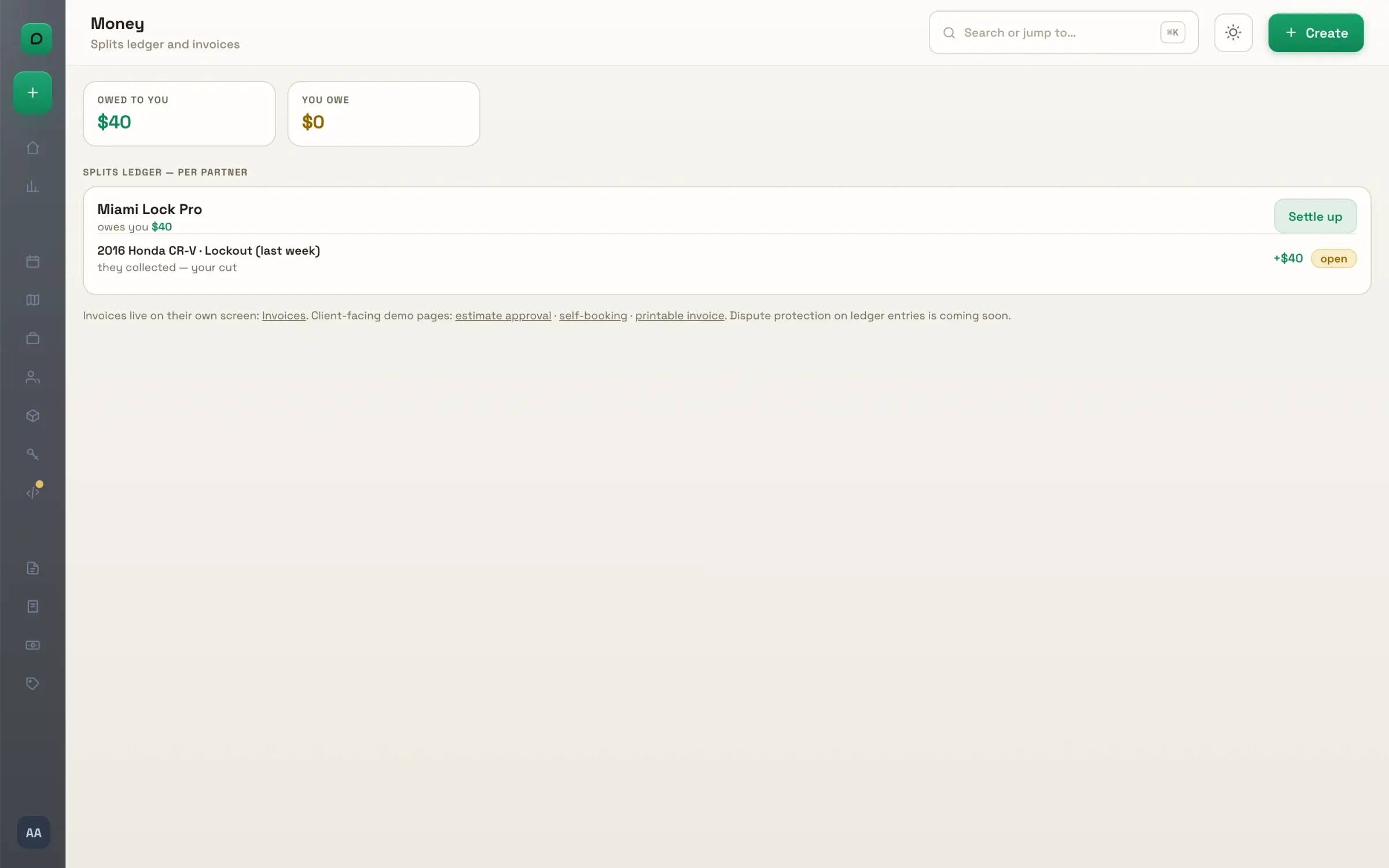
The partner ledger. Owed to you and what you owe, partner by partner, every forwarded job as a line. Settle up between yourselves; the app keeps score.

Company stock

What the shop holds, what every van carries, and the whole catalog behind both.
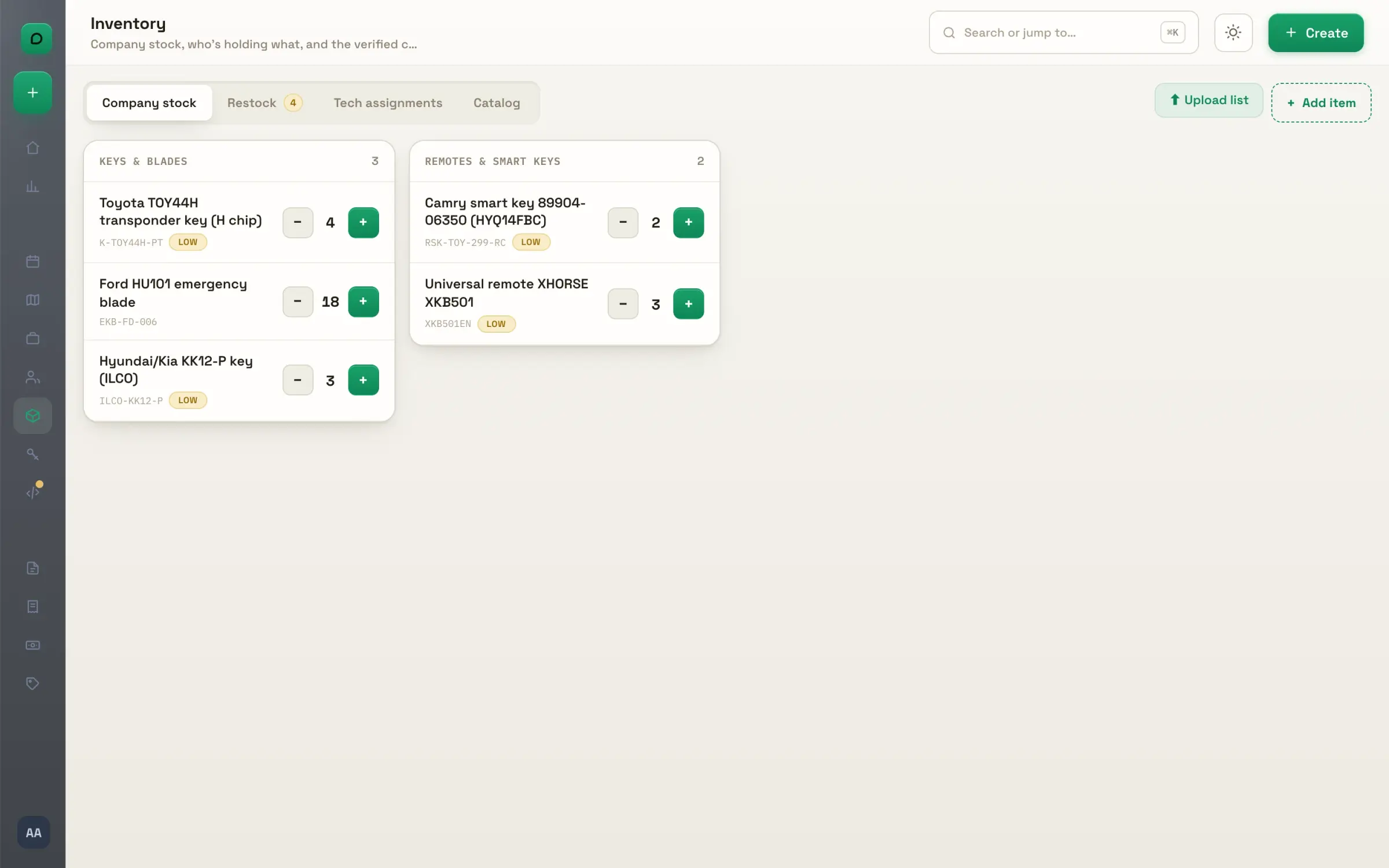
The shop's stock. Keys, blades, remotes and tools with their counts, low and out marked. Change a count and it waits in a bar until you save, so nothing moves by accident.
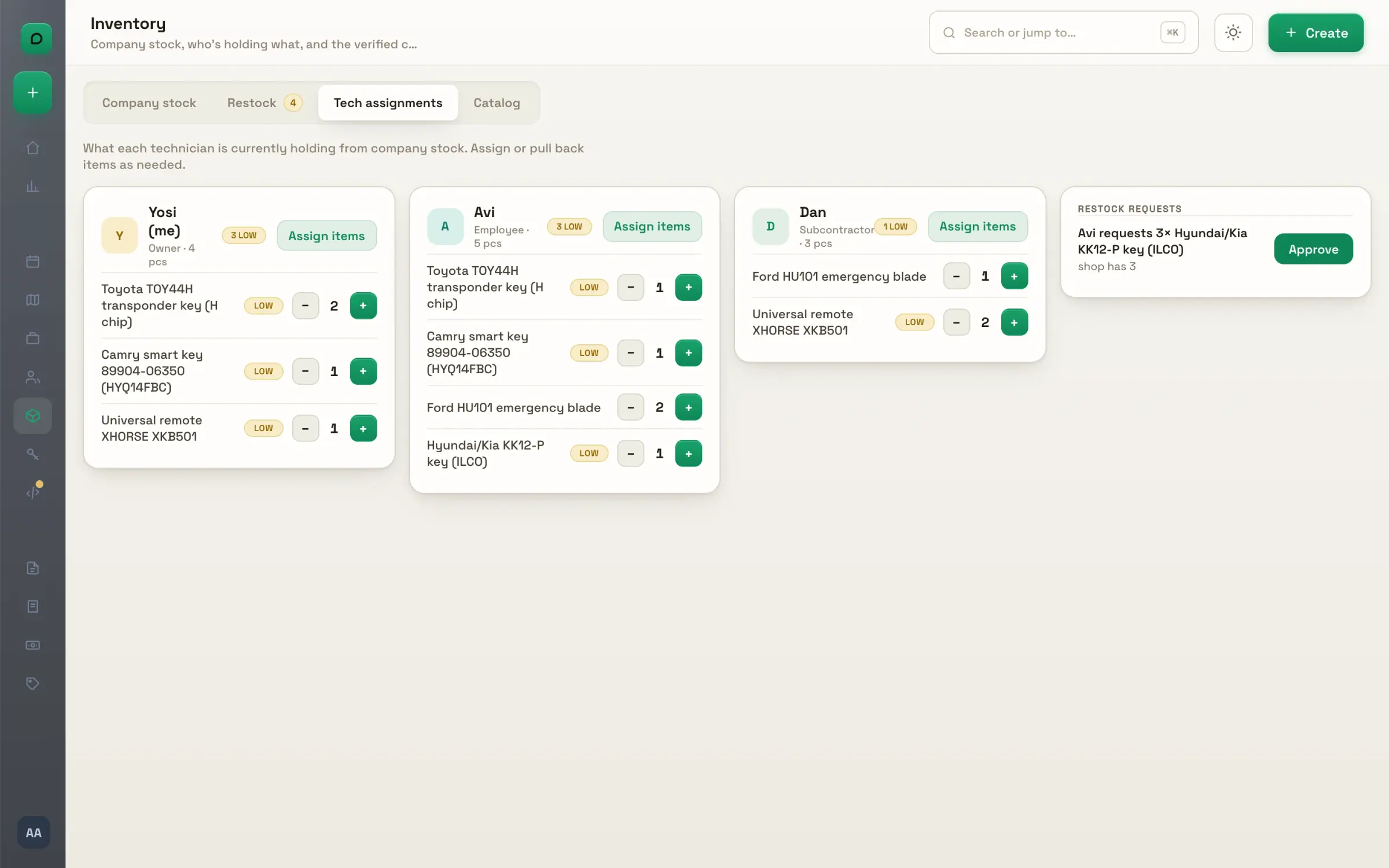
Van by van. What each person carries, piece by piece, with what runs low in every van beside what the shop holds. One screen for the whole fleet's keys.
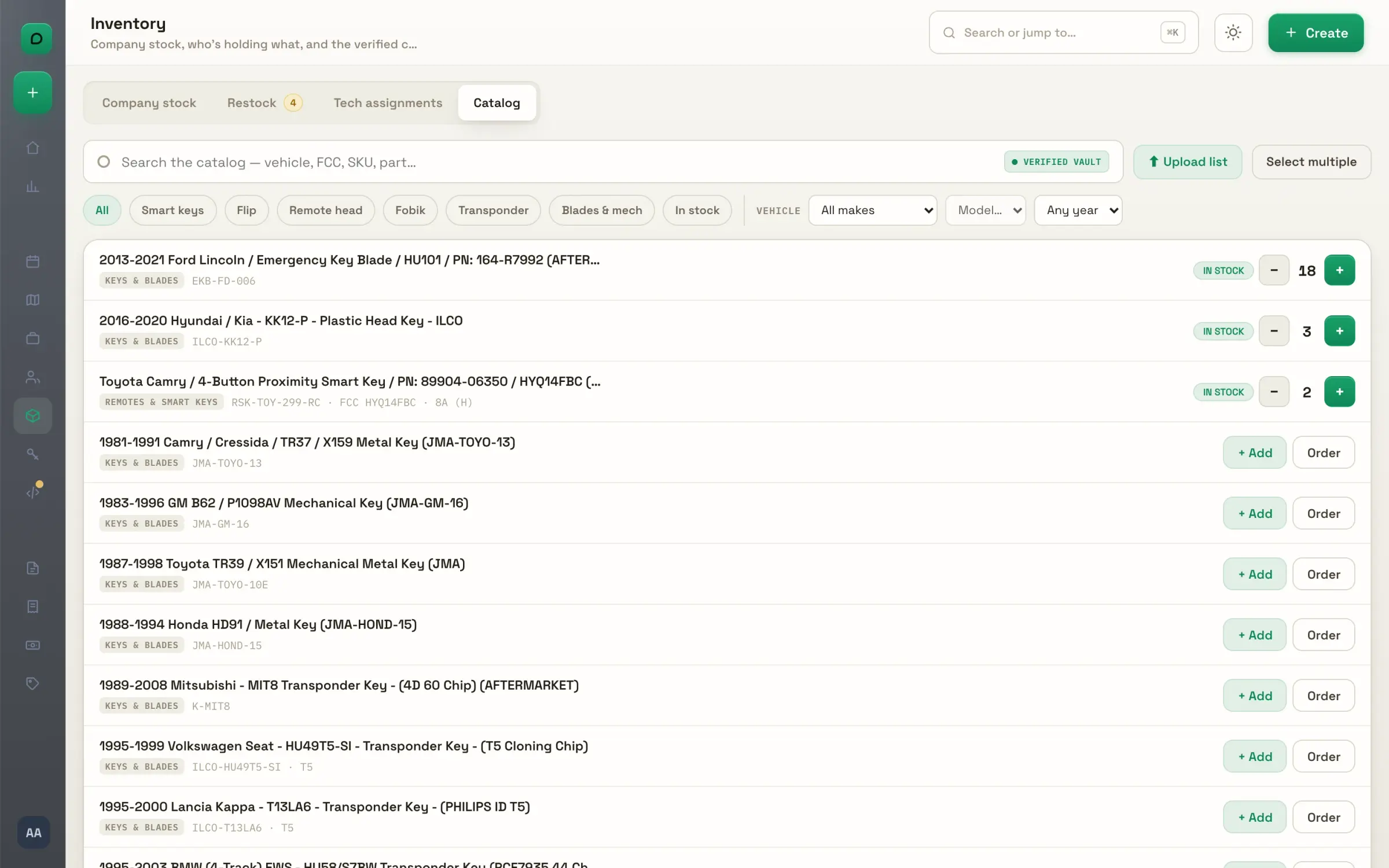
The catalog. Every product in the key vault, searchable by vehicle, FCC, SKU or part number and filtered by key type or by what you stock. Add one to your stock or to an order from the row.

Reorder

Low stock becomes a cart on your own supplier's site. A supplier's list becomes stock.
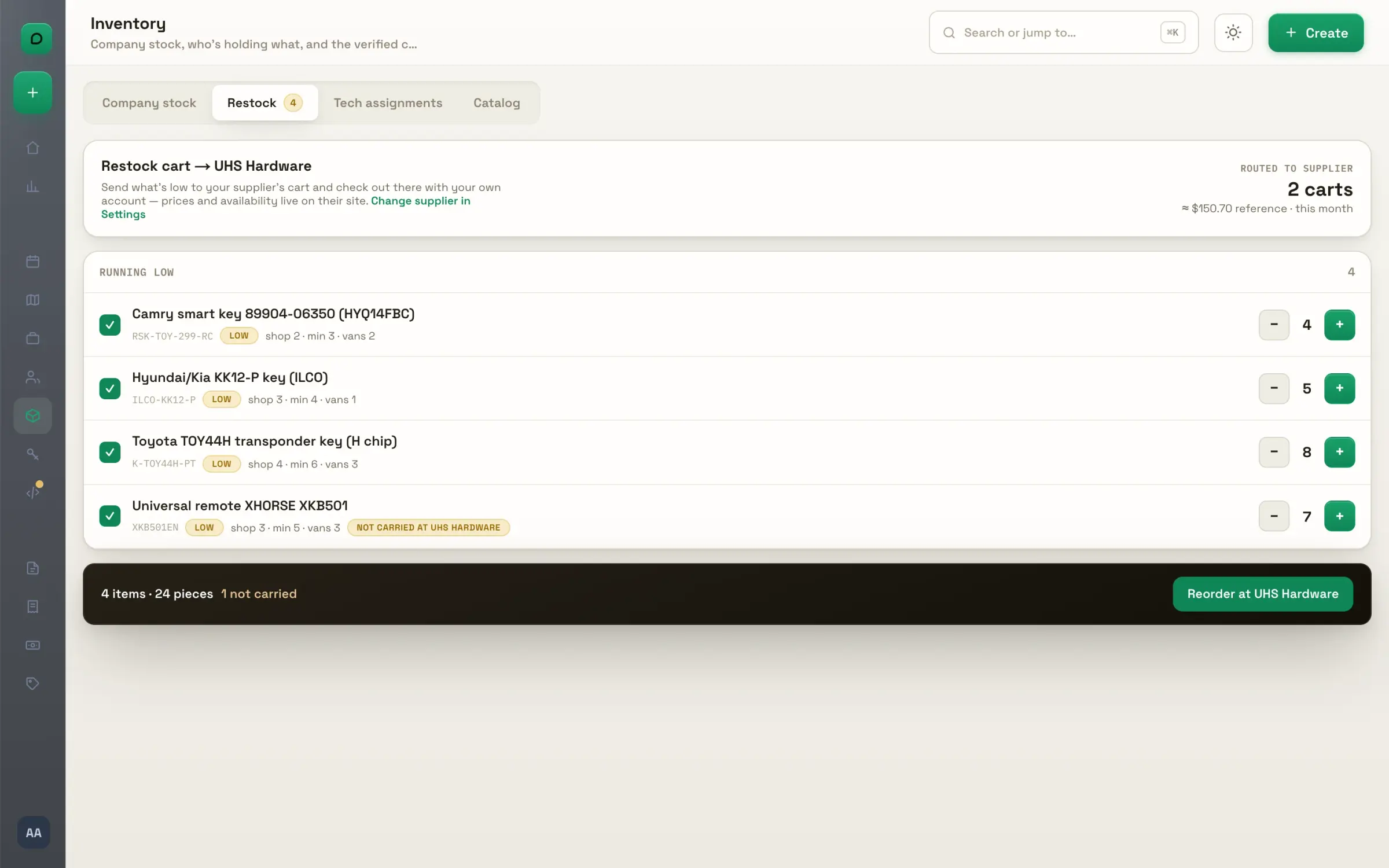
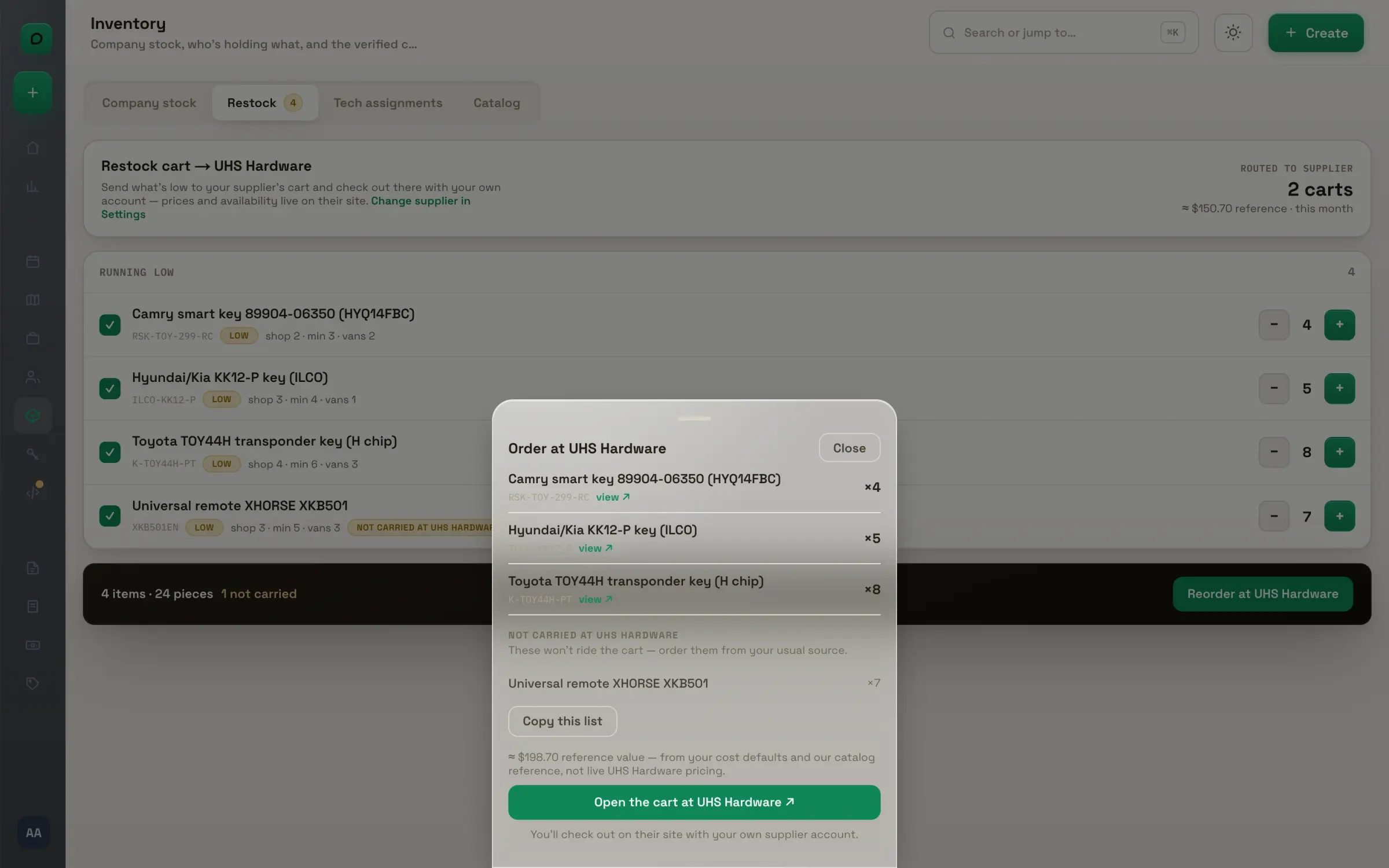
Running low. Everything under its minimum, with the quantity to order worked out from the minimum and what is on hand. Untick what can wait; the count and the reference value follow.
Order at your supplier. One click opens the cart on your supplier's site, already filled, and you check out with your own account. Items they don't carry come as a list to paste anywhere.
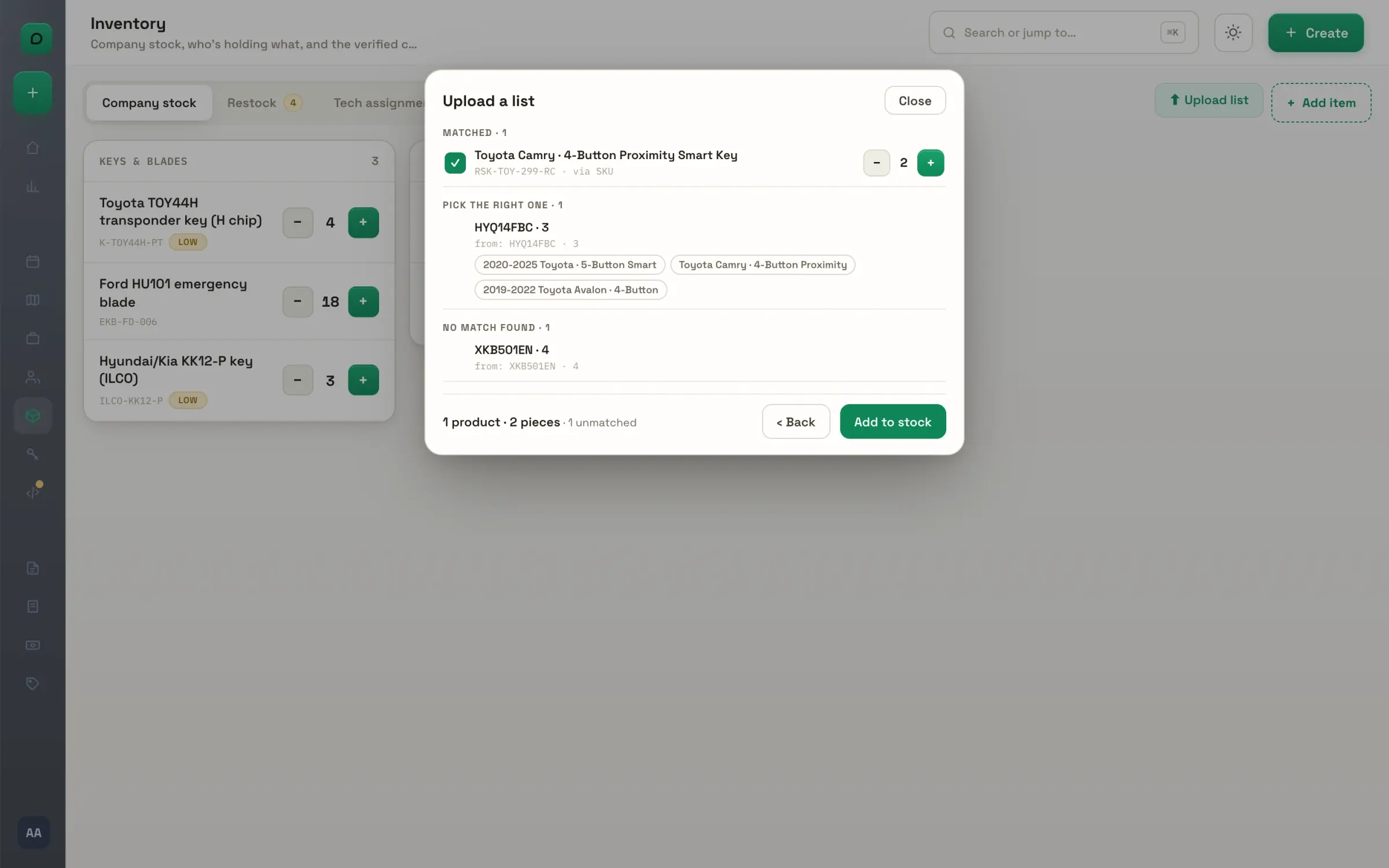
Upload a supplier list. Drop in the Excel, CSV or PDF your supplier sent, or paste the list. Every line is matched to the vault by SKU, part number or FCC, and you confirm before anything is added.

The team

Who is on the roster, what each person earns and sees, and what they carry.
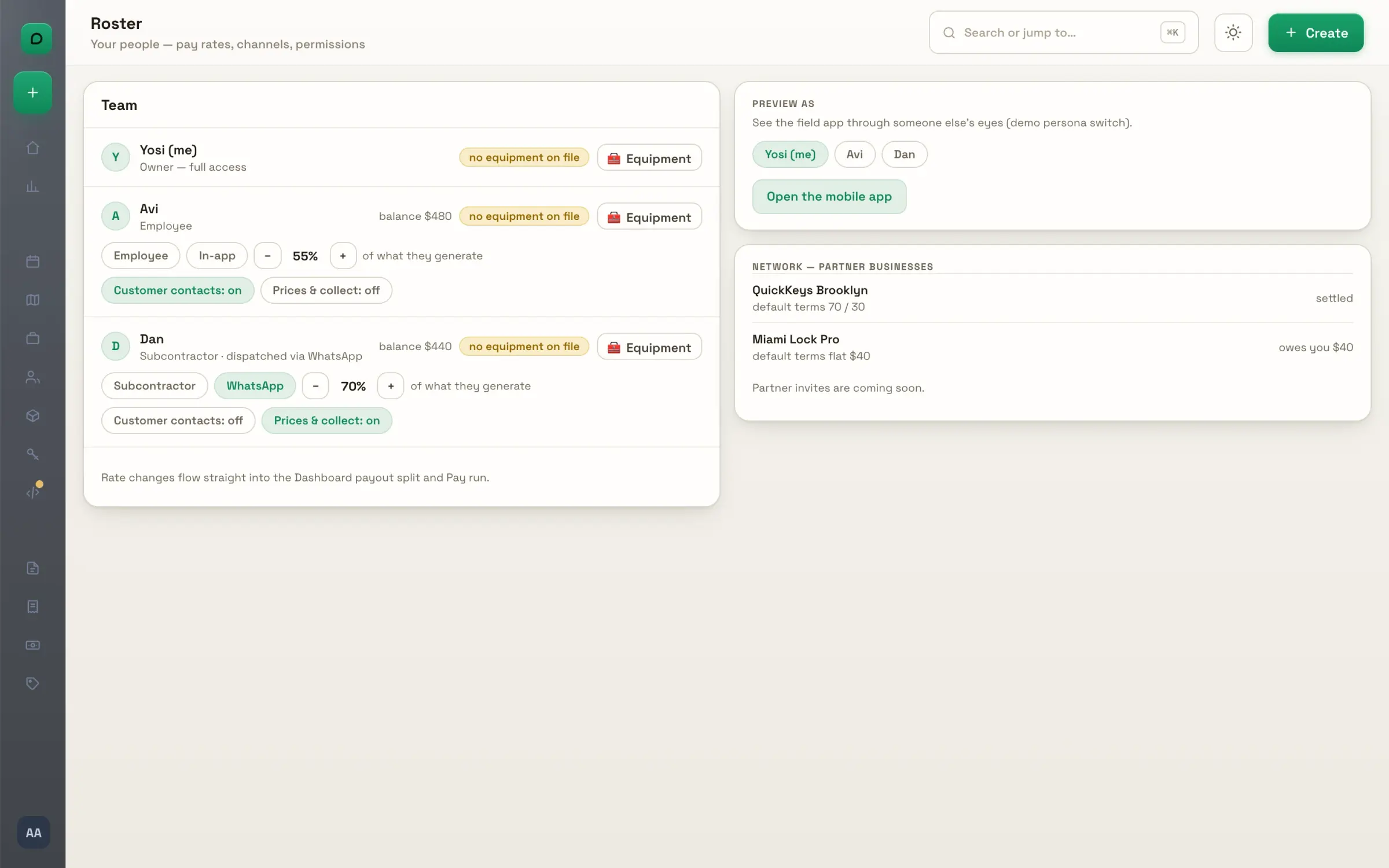
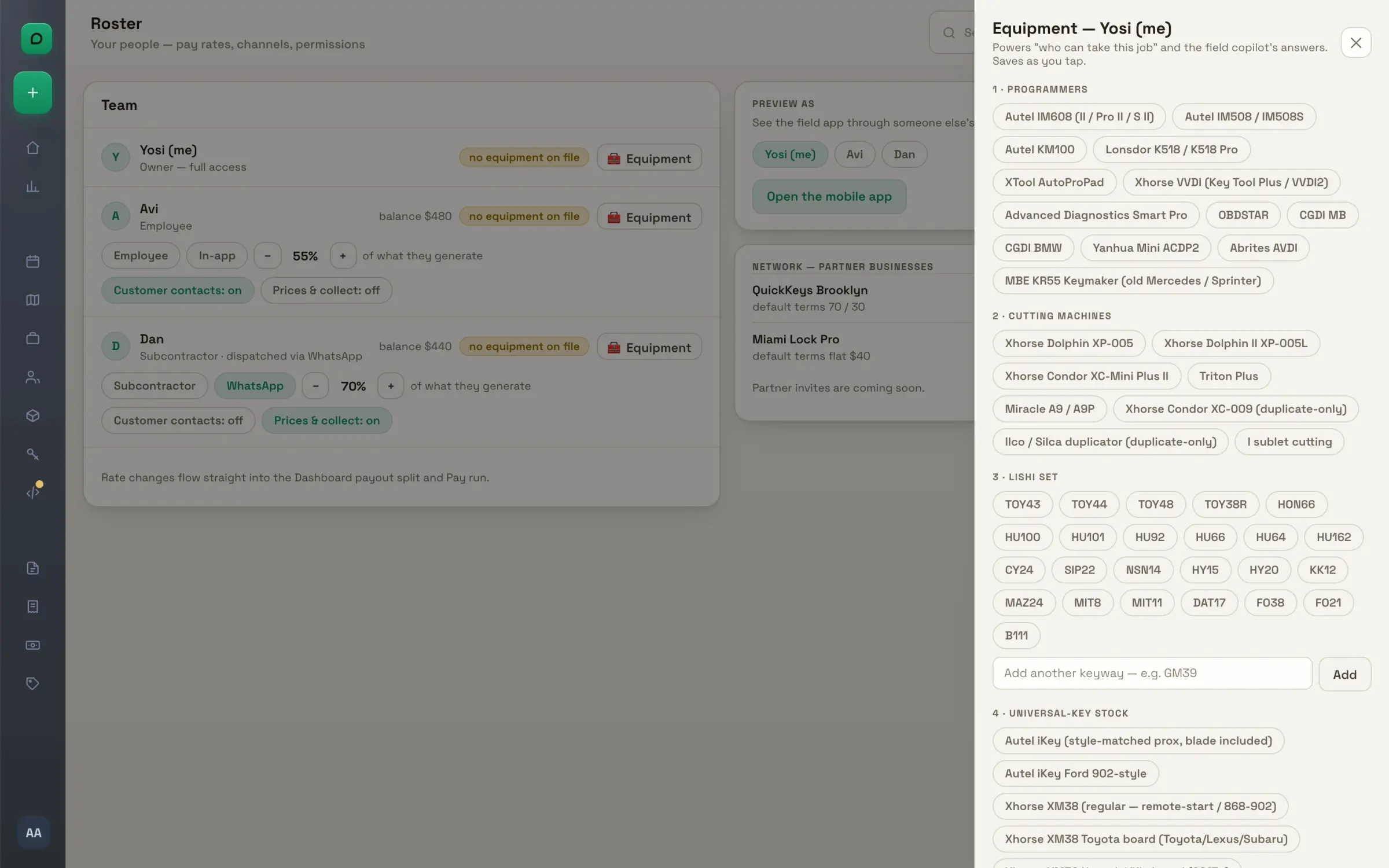
The roster. Owner, dispatcher and employees, each with a rate: a share of what they generate, in steps you set. Change a rate and the payout split and the pay run follow.
Who sees what. Two switches per employee: customer contacts, and prices with collecting. Off means the number never reaches their phone, or the price never shows and the office invoices the job.
Their equipment. Programmers and add-ons, cutting machines, Lishi set and universal keys, per person. It feeds the who-can-take-it ranking on every car job.
Invites. An invite code per person, employee or dispatcher, with their cut and their switches set before they join. Copy the message or share it; it expires in a week.
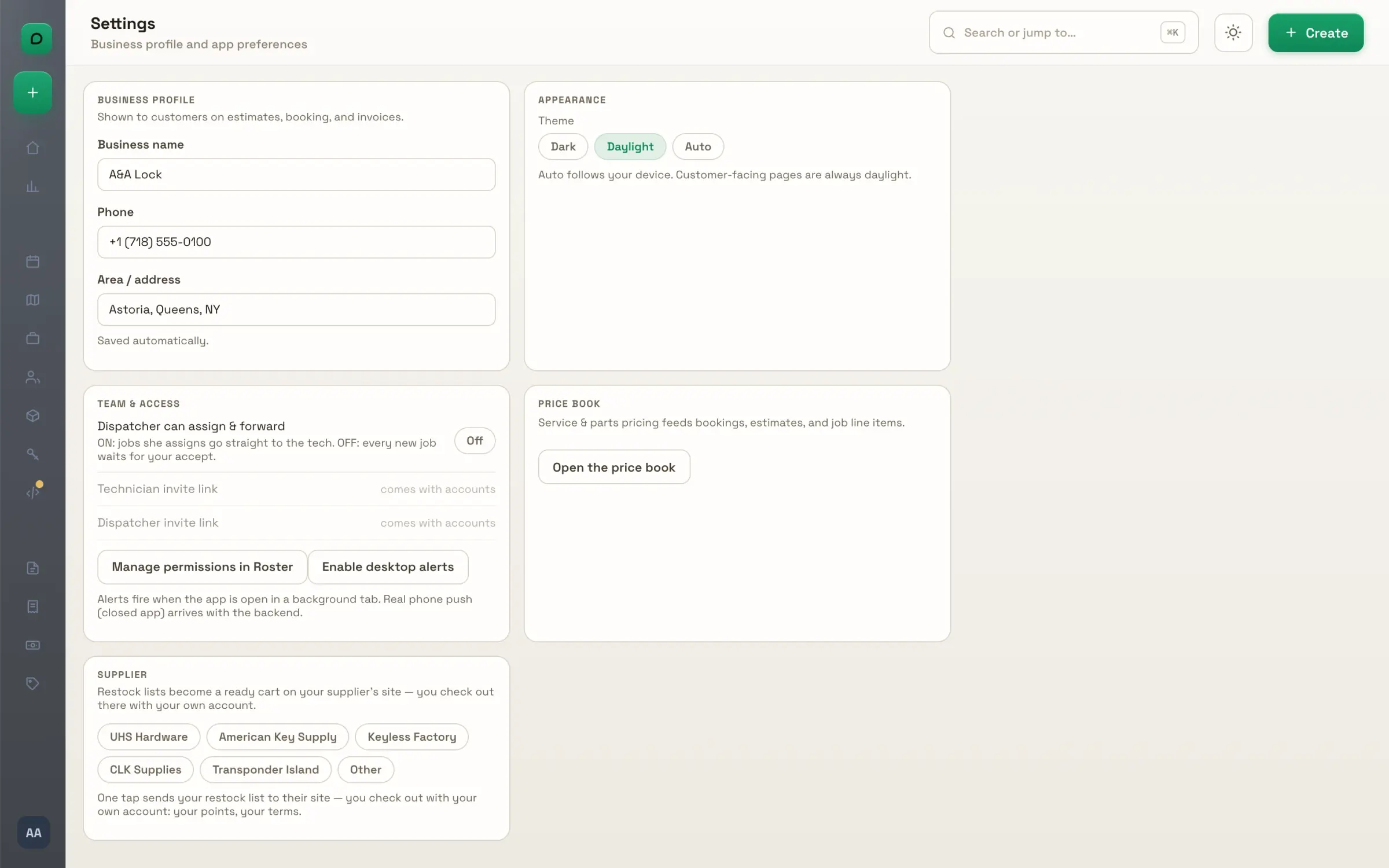
Settings. Your business profile as customers see it on estimates, bookings and invoices; dark, daylight or follow the device; your supplier. One switch decides whether a dispatcher's assignments go straight to the tech or wait for your accept.

Master Key Studio

Design the system, check it, and print the charts. A real four-door system, built in the studio.
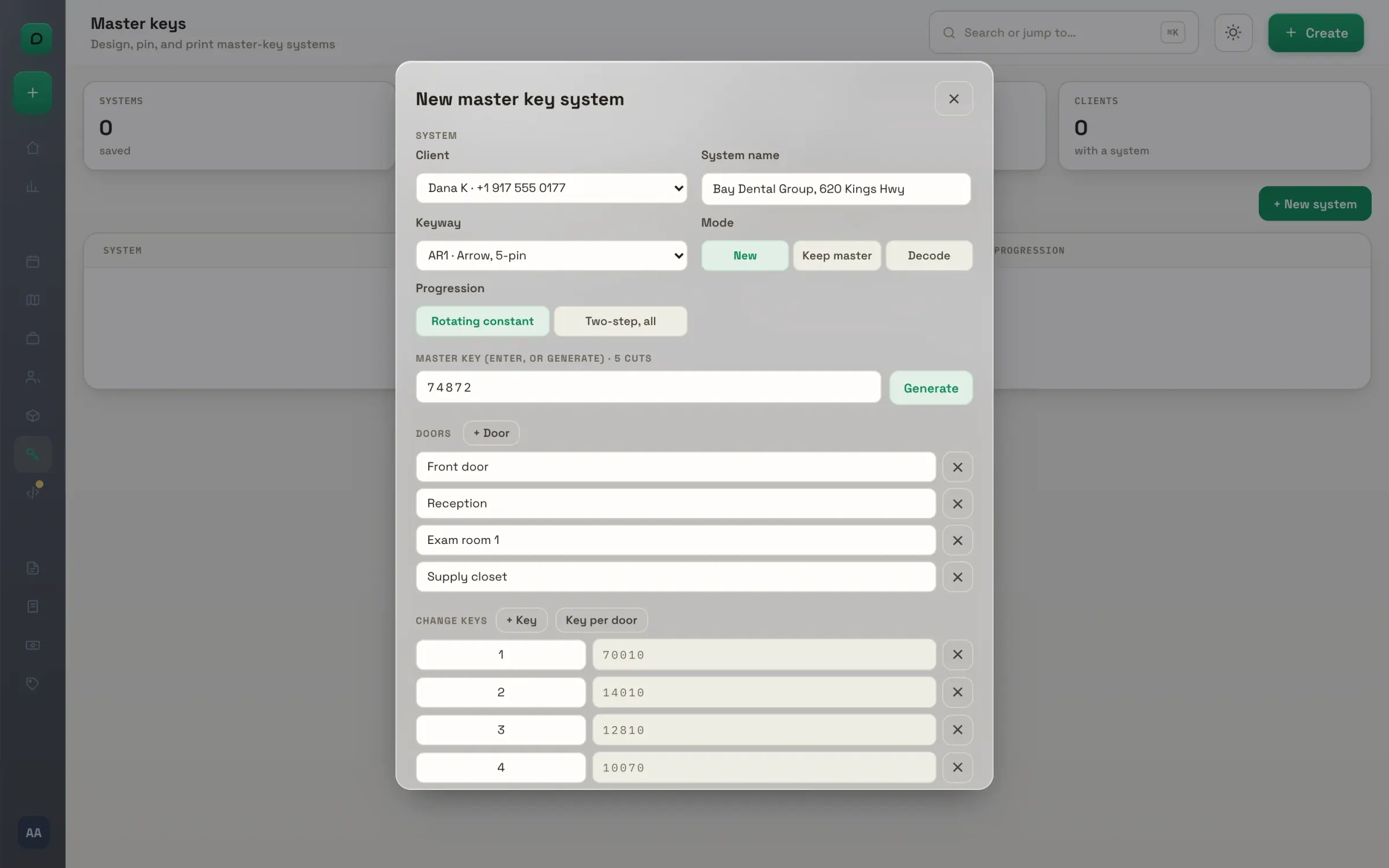
Design the system. Name the client and the keyway, add the doors, and decide which key opens what on the cross-keying grid. New from scratch, keep the customer's master, or decode the keys they already have.
The checks. Generate, and the studio checks the system before you cut: MACS, duplicate keys, a fragile master pin, ghost keys with their count. Errors stop you; warnings tell you what to watch.
The four outputs. Pinning charts per door, the key schedule, the cutting list bow to tip, and the pin pull list for the whole load. Print them from the browser and hand them to whoever pins.
Saved systems. Every system on file with its client, keyway, doors and progression. Edit it, print it, or open it again next year when they add a door.

Inbox and forwarding

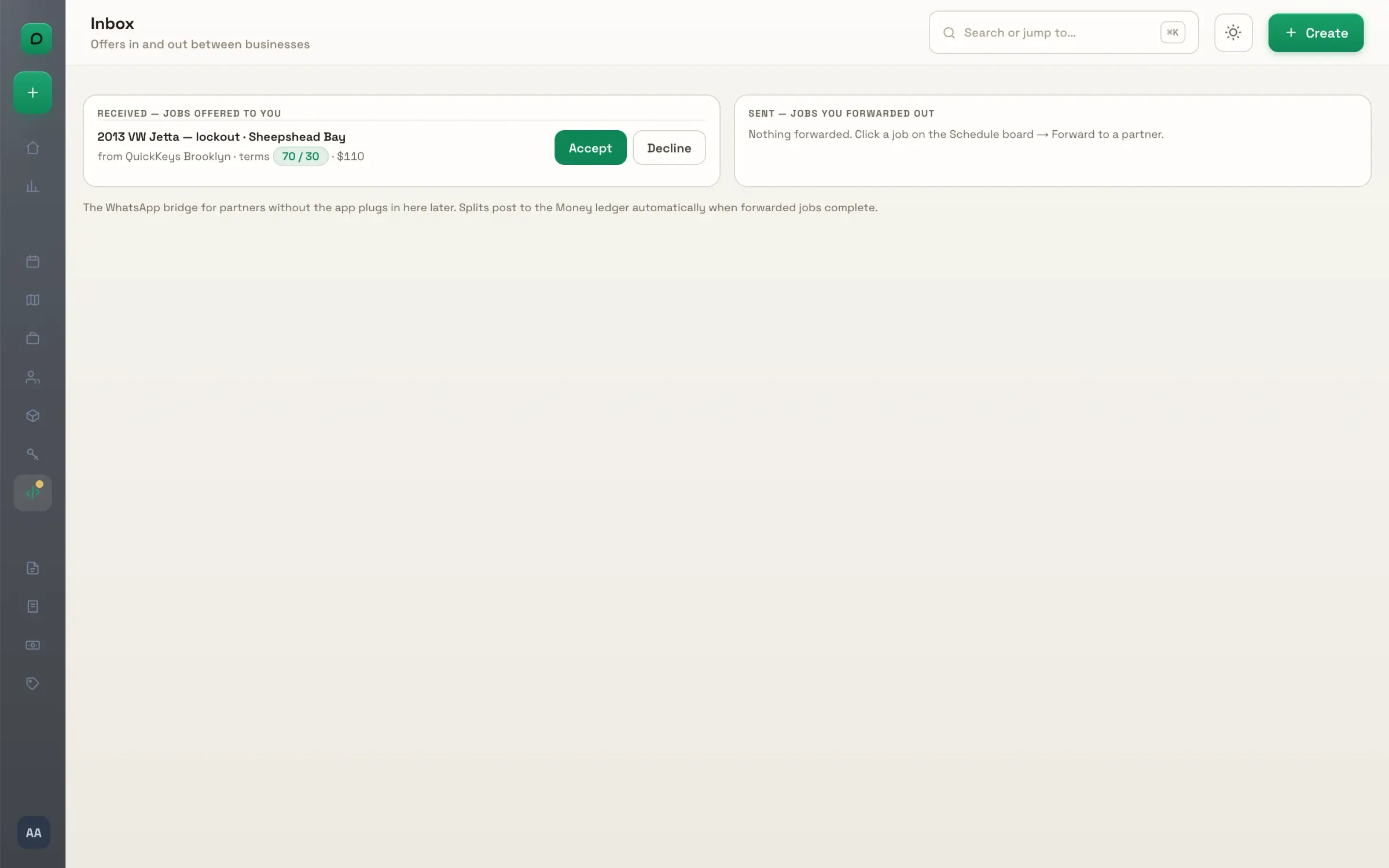
Jobs offered to you, jobs you sent out, and the split worked out before you send.
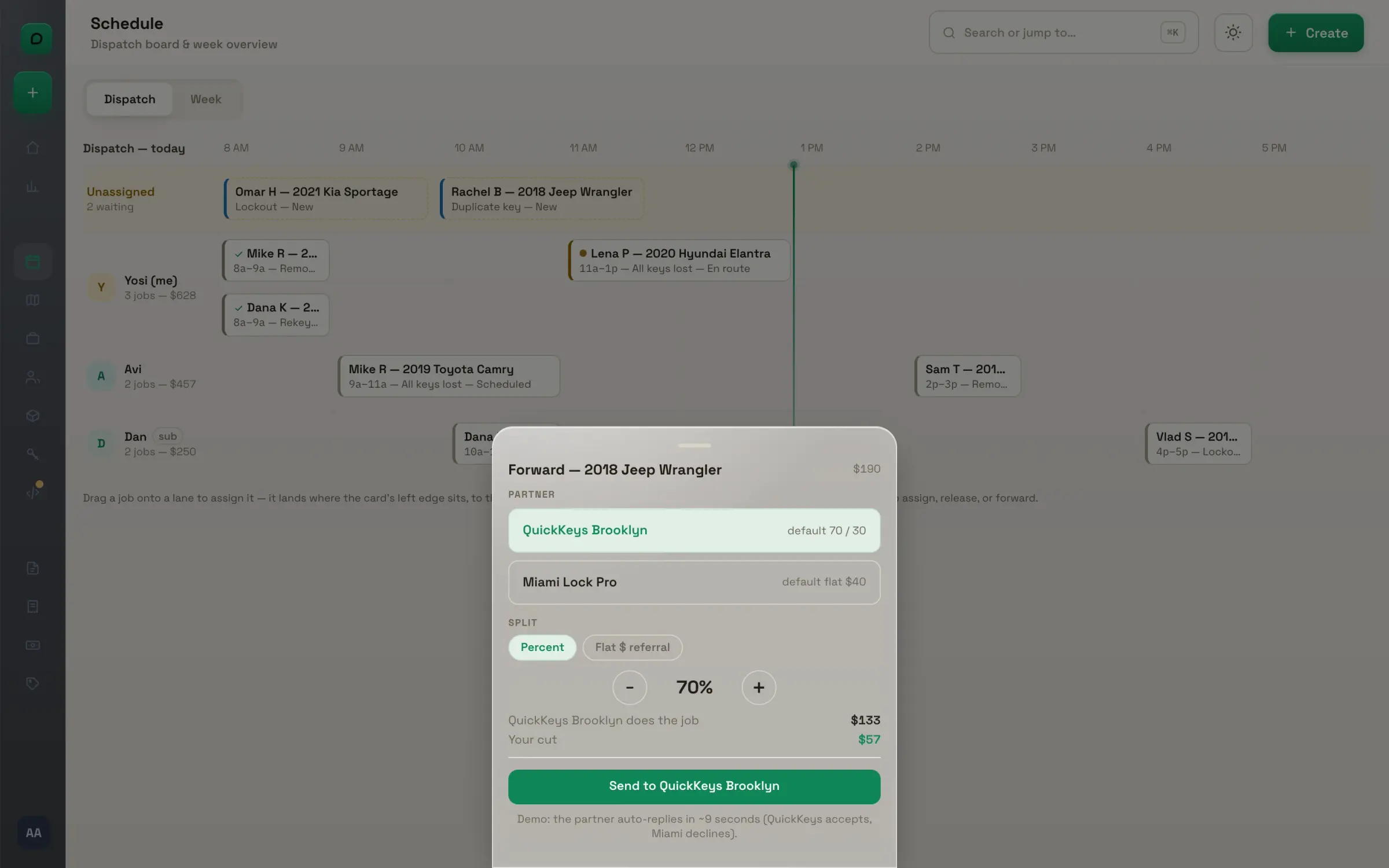
Send to a partner. Pick the partner and the split, a percentage or a flat referral. Your parts come back first, then the rest splits; if the job came from another shop, their cut comes out before yours.
The inbox. Jobs offered to you with the terms and the price, and jobs you sent out with where they stand: waiting, accepted, bounced back. Accept and the job is on your schedule, client and all.
With partners. Forwarded jobs move to their own lane on the board: waiting, accepted, completed with the split posted. A decline comes straight back to unassigned, marked.

Founding 150

The launch offer.

One hundred and fifty locksmiths get in first, at a price that never moves.

Founding 150
Start with a14-day trial
Solo$49/mo · locked forever
Shop (up to 5 seats)$129/mo · locked forever
Slots150 only

Card upfront · your founding price is locked for as long as you stay subscribed.

No spam. Founding slots go in waitlist order.

You're on the list. We'll reach out when your slot opens. ✂️🔑